Codex Usage Limits: How to Check Yours Before the December Shared Pool
Codex usage limits explained: how to check what you have left in the app, on the web and in the CLI, what changes when ChatGPT and Codex share one allowance from December, and how to make limits last. Checked 10 Nov 2026; research-based.

Research-based overview: we have not tested this hands-on yet, so there is no score. Facts come from the makers' own pages, linked below.
On this page
OpenAI has said that, starting in December, ChatGPT and Codex will share one usage allowance on Plus, Pro and Business plans. Right now they’re tracked separately for coding. If you use Codex every day, it’s worth knowing where you stand before the change, so you can tell whether the new pool will cramp your work.
This guide shows where to check your Codex usage limits, what the numbers mean, what changes in December, and how to make your allowance go further. Everything comes from OpenAI’s own help and pricing pages.
Quick terms. Codex is OpenAI’s coding agent, available in the ChatGPT desktop app, a command-line tool (CLI), IDE extensions and the cloud. Tokens are the chunks of text AI models are measured in. A 5-hour limit is a rolling window; a weekly limit caps your total across the week.
The short answer
- Check on desktop: ChatGPT desktop app > Settings > Usage & billing.
- Check on the web: the Usage settings page in ChatGPT (sign in first).
- Check in the terminal: type
/statusin the Codex CLI for the session view, or/usagefor account token activity. - Not on mobile: OpenAI says reset controls and usage history aren’t in the mobile app.
- December: Plus, Pro and Business allowances become shared across ChatGPT and Codex, measured in tokens. Instant chat won’t draw from it. No exact date has been given.
Research-based guide. We haven’t checked a real account for this page. Everything comes from OpenAI’s help articles, pricing page and command reference, re-read on 10 November 2026. Prices are USD, before tax.
What’s changing in December
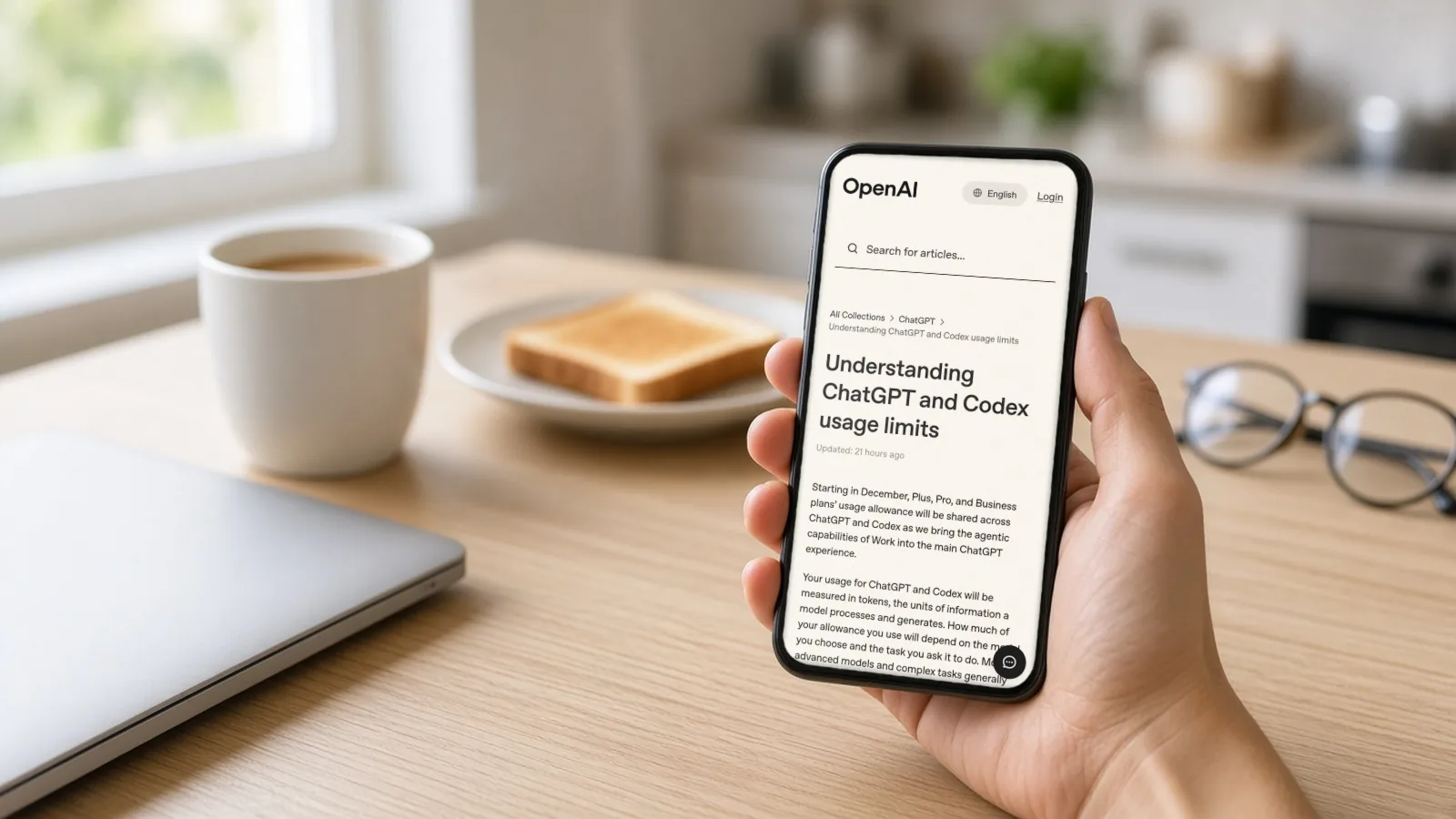
OpenAI’s help article “Understanding ChatGPT and Codex usage limits” says: “Starting in December, Plus, Pro, and Business plans’ usage allowance will be shared across ChatGPT and Codex as we bring the agentic capabilities of Work into the main ChatGPT experience.”
The key points from that article:
- Measured in tokens. How much you use depends on the model and the task. Bigger models and longer tasks use more.
- Instant chat is excluded. “Instant chat will not draw from your usage.”
- One place to look. Your combined usage will show in Settings under Usage.
- At the limit, you can wait for the reset, upgrade, or buy credits.
- OpenAI says most people shouldn’t need to wait for resets more often than they do now.
That last point is OpenAI’s expectation, not a guarantee. The way to know how it affects you is to look at your own numbers now and again after the change.
How to check your Codex usage limits
In the ChatGPT desktop app
- Open the ChatGPT desktop app and go to Settings.
- Open Usage & billing.
- Look at the usage summary. OpenAI’s help says it shows which allowance is running low, your credit balance and when your limits reset.
- Under Usage limit resets, History shows banked-reset activity from the past 30 days, and Available shows resets you can still use.
On the web
Sign in to ChatGPT and open the Usage settings page. OpenAI’s Codex pricing page calls this the usage dashboard and suggests checking it “every week or two” to see how you’re tracking.
In the Codex CLI
- Type
/status. It shows the active model, approval policy, writable folders and current token use for the session. In the desktop app composer,/statusalso shows rate limits. - Type
/usage. It opens a menu to show token activity or redeem an earned reset./usage daily,/usage weeklyand/usage cumulativejump straight to a view. - You can also add a rate-limits item to the CLI footer with
/statusline, so you see it without asking.
If /usage says you need to sign in, the CLI isn’t using your ChatGPT account. Run codex login status to see how you’re signed in. If you’re signed in with an API key, usage is billed at API rates instead of drawing from your plan.
On your phone
OpenAI’s resets article says reset controls and history aren’t currently in the mobile app. Use the desktop app or web.
What your plan includes today
From OpenAI’s Codex pricing page, re-read on 10 November 2026:
| Plan | Price (USD) | Codex limits, as published |
|---|---|---|
| Free | $0 | Included, GPT-6 Luna in the desktop app, subject to rollout |
| Go | $8 a month | Included; monthly allowance |
| Plus | $20 a month | 5-hour and weekly limits; ranges per model below |
| Pro | From $100 a month ($100, $200, $500 tiers) | No 5-hour limit at present; weekly limits may apply |
| Business | $25 per user a month | Standard Business mirrors Plus ranges |
| Enterprise | Contact sales | Not published |
Plus and Standard Business local messages per 5 hours, by model (OpenAI publishes ranges because task size varies). These are the current published estimates; OpenAI has not said how they will map once the December shared pool is measured in tokens:
| Model | Local messages per 5 hours |
|---|---|
| GPT-6 Luna | 350–3,000 |
| GPT-6.1 Terra | 35–285 |
| GPT-6.1 Sol | 15–160 |
| GPT-6 Sol | 15–150 |
| GPT-6 Astra | 5–45 |
What uses your allowance faster
OpenAI’s pricing page lists a few things that burn through limits more quickly:
- Speed modes. Fast uses included usage at 2.5x and Ultrafast at 8x.
- Image generation uses limits about 3–5x faster.
- Bigger models and longer tasks use more tokens per message.
- Large context. A big
AGENTS.mdfile and many connected MCP servers (tools Codex can call) add to every request.
Code review through GitHub is counted separately, per the pricing page. And if you hit your limit mid-task, OpenAI says the agent can finish the turn it’s working on.
How to make your Codex limits last
These come from OpenAI’s own tips:
- Write tighter prompts. Say what files to look at and what done looks like.
- Keep AGENTS.md short. It’s loaded into context, so trim old instructions.
- Turn off MCP servers you aren’t using. Check with
/mcp. - Use a smaller model for simple jobs. Switch with
/model; save the big models for hard problems. - Leave Fast mode off unless speed matters. Toggle with
/fast. - Compact long chats with
/compactso Codex doesn’t re-read a huge history.
Resets and credits
When you run out, you have three routes:
- Wait for the 5-hour or weekly window to refresh. Your Usage page shows the next refresh time.
- Use a banked reset, if OpenAI has given you one. On desktop, go to Settings > Usage & billing; in the CLI,
/usage> Redeem reset. At least one covered allowance must be below 80% remaining, or you’ll see “Your usage does not need a reset right now.” - Buy credits or upgrade. OpenAI’s help says you can buy credits when you hit a limit. Paid instant resets are offered to selected Plus and Pro personal accounts.
Two details from OpenAI’s resets article: a reset can move your next refresh time, so check the Usage page rather than counting days; and banked resets aren’t cash or API credits.
A simple check routine before December
- This week: open Usage & billing and note how much of your weekly allowance you typically use.
- Note your ChatGPT use too. From December it comes from the same pool. Heavy users of Thinking-style chat should expect more overlap than people who mainly use instant chat.
- Trim your setup: shorter AGENTS.md, fewer MCP servers, Fast mode off.
- Add the rate-limits item to your CLI status line with
/statusline. - After the change: compare a normal week with your notes. If you’re hitting limits often, that’s when to consider credits or a bigger plan.
If Codex is mostly doing repetitive tasks for you, such as sending follow-ups or moving data between apps, a workflow that doesn’t use a coding agent may be cheaper. AIFix Automation sets those up on accounts in your name. That’s our own service.
FAQ
How do I check my Codex usage limits?
In the ChatGPT desktop app, open Settings > Usage & billing. On the web, open ChatGPT’s Usage settings. In the Codex CLI, type /status or /usage.
What are the Codex usage limits on ChatGPT Plus?
OpenAI publishes ranges per 5 hours by model, for example 15–160 local messages on GPT-6.1 Sol and 350–3,000 on GPT-6 Luna. There’s also a weekly limit.
Does Pro have a Codex limit?
Pro currently has no 5-hour limit, according to OpenAI’s pricing page, but weekly limits may apply.
What changes in December?
Plus, Pro and Business usage will be shared between ChatGPT and Codex and measured in tokens. Instant chat won’t count. OpenAI hasn’t given an exact date.
Can I check Codex limits on my phone?
OpenAI says reset controls and usage history aren’t currently in the mobile app. Use the desktop app or web.
What happens if I hit the limit mid-task?
OpenAI says the agent can keep working on the turn it’s in. After that, wait for the reset, use a banked reset, buy credits or upgrade.
Does using an API key count against my plan?
No. With an API key, Codex is billed at API rates, separately from your ChatGPT plan.
Related
Sources
- Understanding ChatGPT and Codex usage limits, OpenAI Help Center (checked 10 Nov 2026)
- Codex pricing, OpenAI (checked 10 Nov 2026)
- Using Codex with your ChatGPT plan, OpenAI Help Center (checked 10 Nov 2026)
- How resets work in Codex, OpenAI Help Center (checked 10 Nov 2026)
- Developer commands, OpenAI (checked 10 Nov 2026)
- AIFix Automation, AIFix (checked 10 Nov 2026)
This post was drafted with help from an AI assistant, then checked, edited and approved by Numan Malik.
Numan Malik, Founder, AIFix. Reviewed and approved by Numan before publishing. More about Numan · Editorial policy