Best AI Video Generator in 2026: Google Veo and Omni vs Kling vs Runway (and What Happened to Sora)
Which AI video generators creators can use in 2026: Google Flow (Gemini Omni and Veo 3.1), Kling and Runway. Free credits, plan prices in USD, clip lengths and the Sora shutdown dates, from official pages checked 23 Oct 2026.

No one paid for this, and it has no affiliate links. How we review.
Research-based overview: we have not tested this hands-on yet, so there is no score. Facts come from the makers' own pages, linked below.
On this page
- Verdict: which AI video generator to start with
- What we checked, and what still needs testing
- Which one is actually free? The credit maths
- Google: Gemini Omni and Veo 3.1 in Flow
- Kling: Kling 3.0 and the new Kling 4.0
- Runway: Gen-4.5, plus Kling and Seedance inside Runway
- What happened to Sora?
- Pricing in USD, side by side
- Outside the US?
- Pros and cons
- Which should you pick?
- Alternatives
- FAQ
Key takeaways
Verdict: which AI video generator to start with
If you searched for “Veo vs Sora vs Kling”, the field has changed. OpenAI shut down the Sora app in April 2026 and the Sora API in September 2026. Google has moved its Gemini app from Veo to a newer model, Gemini Omni, while Veo 3.1 is still available in Google’s Flow video tool. So the three main options open to creators today are Google, Kling and Runway. We read their official pages on 23 October 2026. All prices are in US dollars.
- Cheapest way in: Google Flow. Everyone gets 50 free Flow credits a day. By our maths that’s about four 8-second Gemini Omni Flash clips at 720p, or two Veo 3.1 Fast clips. Paid Google AI plans start at $4.99 a month in the US.
- Longest single clips: Kling. Kling’s page advertises “native 30s-generation” for Kling 4.0. Its free plan has no monthly credits and doesn’t allow commercial use, so plan on paying.
- Most models in one app: Runway. Runway’s own Gen-4.5 sits alongside other companies’ models, including Kling 3.0 and Seedance 2.5. Free credits are a one-time 125.
- We don’t name a winner on quality. We haven’t generated test clips yet.
Research-based comparison. We have not tested these tools hands-on yet. Everything below comes from official pages, checked 23 October 2026. Cost note: every tool here runs on credits. Free credits run out quickly, and serious use means a paid plan.
At a glance: free access and first paid plan (USD)
| Tool | Free access | First paid plan | Clip length (maker's figure) | Catch |
|---|---|---|---|---|
| Google Flow (Gemini Omni, Veo 3.1) | 50 Flow credits a day, no rollover | Google AI Plus $4.99/mo (US), 200 extra credits a month | Veo 3.1: 4, 6 or 8 s; Omni Flash: 4 to 10 s | Non-subscribers may be blocked at peak times; no 1080p for free users |
| Kling | Basic $0: no monthly credits, no commercial use | Standard $10 list ($6.99 first month on 23 Oct), 660 credits | Kling 4.0: "native 30s-generation" | Promo prices with a countdown; Kling 4.0 plan access unclear |
| Runway | 125 one-time credits | Standard $12/mo yearly or $15 monthly, 625 credits | Standard's 625 credits = 52 s of Gen-4.5 (Runway's figure) | Free credits are one-off; rollover only on Max |
What we checked
- Read OpenAI's help article on the Sora discontinuation on 23 Oct 2026
- Read Google's Flow help pages on models and credits, the Gemini video overview and the Google AI plans page (US prices)
- Opened Kling's live membership page signed out, in monthly and yearly views, and read Kling's July 2026 credit guide
- Read Runway's pricing page, including credits per plan and the models listed
- Not done yet: running the same prompts in every tool and comparing the clips
What we checked, and what still needs testing
We read Google’s Flow help pages on models and credits, Google’s plan prices, Kling’s live membership page and its July 2026 credit guide, Runway’s pricing page, and OpenAI’s notice about Sora. We have not generated any clips. Before we say anything about quality, we plan to run the same three prompts in every tool, using free credits only:
- An 8-second product shot: a coffee cup turning slowly on a table.
- An 8 to 10-second vertical scene for Shorts or Reels, with speech or sound.
- Image-to-video from one of our own AI images.
For each clip we’ll note the generation time, credits used, resolution, watermark, whether audio came out, and obvious errors with hands, text or physics. If a test can’t be done for free, the table will say “not tested”.
Which one is actually free? The credit maths
AI video tools don’t charge per clip. They charge in credits, and each tool prices credits differently, so 100 Google credits and 100 Runway credits buy very different amounts of video. Here is what the free tier gets you, using each maker’s own credit tables. The seconds are our maths unless the maker states them.
| What you get free | What it buys (our maths) | |
|---|---|---|
| Google Flow | 50 credits a day, no rollover | Omni Flash 720p at 12 credits per 8 s: about four 8-second clips a day. Veo 3.1 Fast at 20 credits: two clips. Veo 3.1 Lite at 10: five clips |
| Kling | Basic plan: no monthly credits | Nothing on a regular basis; Kling sometimes runs login bonuses during events |
| Runway | 125 credits once | Gen-4.5 costs 60 credits per 5 seconds, so about 10 seconds of video in total |
Sources: Flow credits, Kling membership, Runway pricing, checked 23 Oct 2026.
Google is the only one of the three with free credits that refill. There’s a catch: Google says people without a subscription may be unable to generate video at busy times, roughly 2 to 5 PM UTC. Free users also can’t upscale to 1080p.
Google: Gemini Omni and Veo 3.1 in Flow
Google offers AI video in two places. The Gemini app is the chat assistant; Google says “Gemini Omni will replace Veo in the Gemini app”, and video there needs a Google AI subscription. Users must be 18 or older, and “Features vary by tier and geography”. Flow is Google’s separate video-making tool, and it’s where the free daily credits and the model choice live.
Models in Flow (from Google’s Flow help page):
- Veo 3.1 Lite, Fast and Quality: clips of 4, 6 or 8 seconds. Only Lite can extend a clip.
- Gemini Omni Flash: clips of 4 to 10 seconds, start and end frames, and video-to-video editing.
Credits per generation:
| Model | Credits |
|---|---|
| Veo 3.1 Lite | 10 (5 on Ultra plans) |
| Veo 3.1 Fast | 20 (10 on Ultra plans) |
| Veo 3.1 Quality | 100 |
| Omni Flash 720p | 4 s = 7, 6 s = 10, 8 s = 12, 10 s = 15 |
| Omni Flash 360p | 4 to 7 |
| Omni video edit | 40 |
| 4K upscale | 50 (Ultra only) |
Source: Flow Help, credits, checked 23 Oct 2026.
Google’s announcement says Omni Flash is also available free inside YouTube Shorts and the YouTube Create app, and that the videos carry a SynthID watermark (an invisible marker that shows the clip was made with AI).
For developers: Google’s API documentation says the Veo 3.1 preview models were shut down on 22 October 2026, and it recommends moving to Gemini Omni Flash.
Kling: Kling 3.0 and the new Kling 4.0
Kling is made by the Chinese company Kuaishou and is sold worldwide in US dollars. Its free Basic plan has no monthly credits, no commercial use, no watermark removal and no 1080p or 4K. Paid plans add all of those.
Kling’s live membership page on 23 October showed promotional prices with a countdown timer, so the figures below may already have changed. Check the live page before buying.
| Plan (monthly billing) | List price | First month (promo) | After that | Credits a month |
|---|---|---|---|---|
| Basic | $0 | — | — | None |
| Standard | $10 | $6.99 | $8.80 | 660 |
| Pro | $37 | $25.99 | $32.56 | 3,000 |
| Premier (8,000 credits) | $92 | $64.99 | $80.96 | 8,000 |
| Ultra+ | $619 | $402 | $544.99 | 57,000 |
Premier also lets you choose 18,000, 28,000 or 38,000 credits, at higher prices. On yearly billing, the page showed Standard at $79.20 for the year ($120 list) and Pro at $293.04 ($444 list). Source: Kling membership page, checked 23 Oct 2026.
About the plans: Kling’s July 2026 credit guide listed an “Ultra” plan at $180 a month with 26,000 credits. That tier no longer appears; the top plan is now Ultra+.
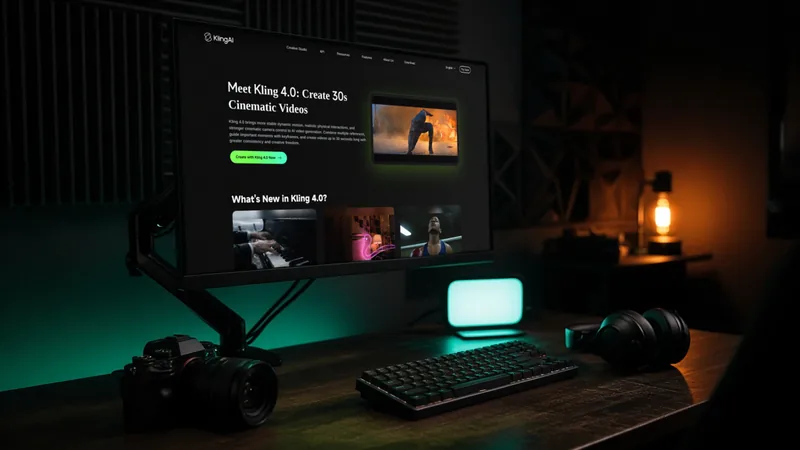
Kling 3.0 makes clips of 3 to 15 seconds, according to the July guide, and 4K costs 30 credits a second. Kling 4.0 launched on 15 October 2026 (see our Kling 4.0 news piece). The membership page advertises “native 30s-generation”, and a “Kling 4.0 Limited-Time 10% Off” line appears on Pro and higher. We couldn’t confirm whether Standard subscribers can use Kling 4.0, or what it costs in credits.
Kling’s credits policy says bought credits ($1 buys 66) last two years, subscription credits last one month, and credits are refunded if a generation fails.
Runway: Gen-4.5, plus Kling and Seedance inside Runway
Runway is a US company whose app includes its own Gen-4.5 model and several other companies’ models. Its pricing page listed Kling 3.0, Seedance 2.5 and Google’s Nano Banana Pro image model among the options. That lets you try different models under one subscription, although each one uses credits at its own rate.
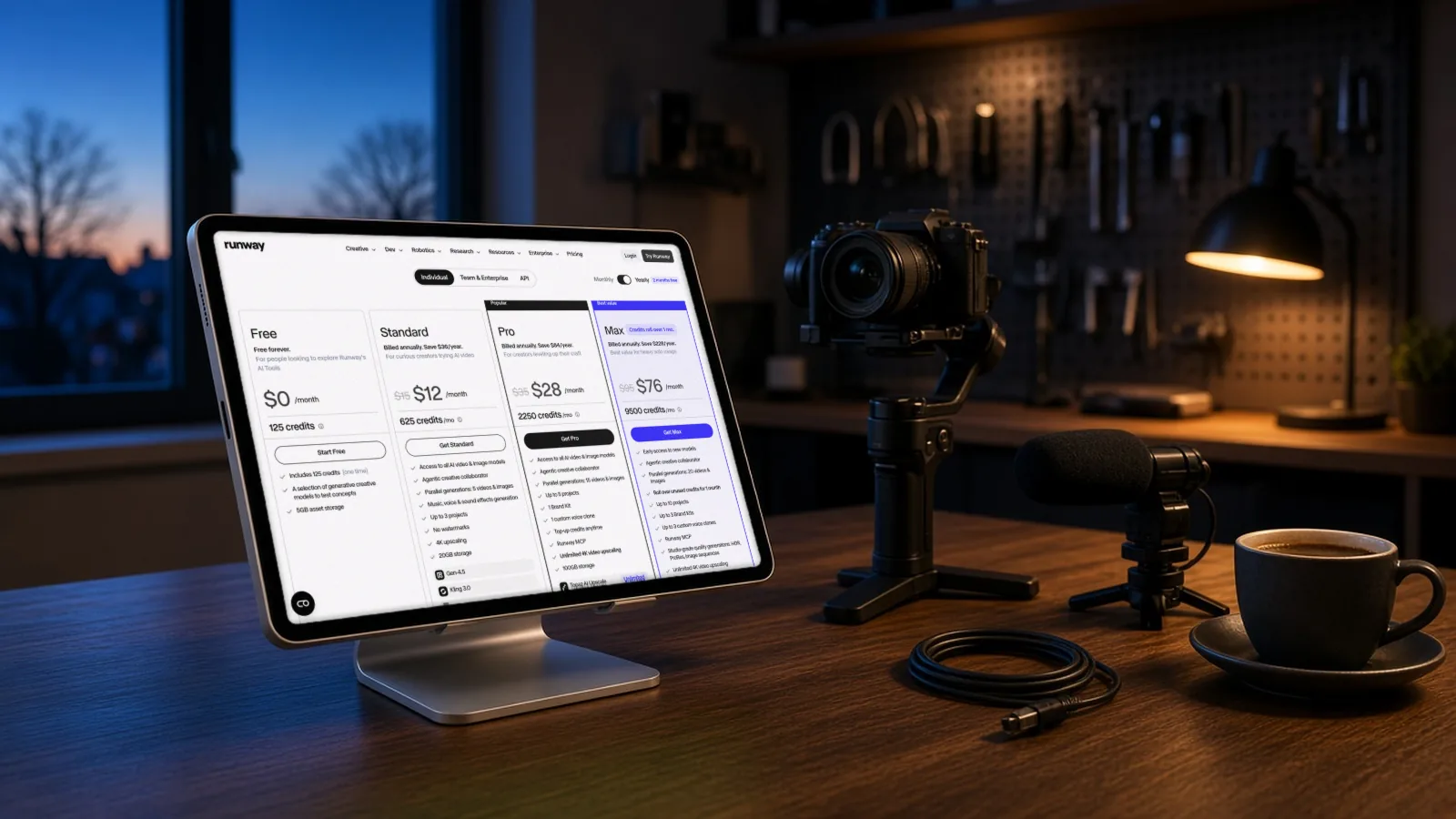
| Plan | Yearly billing (per month) | Monthly billing | Credits a month | Notes |
|---|---|---|---|---|
| Free | $0 | $0 | 125 one-time | 5 GB storage |
| Standard | $12 | $15 | 625 (Runway: 52 s of Gen-4.5) | No watermarks, 4K upscaling |
| Pro | $28 | $35 | 2,250 (Runway: 187 s of Gen-4.5) | Custom voice, more projects |
| Max | $76 | $95 | 9,500 | Unused credits roll over for 1 month |
Source: Runway pricing, checked 23 Oct 2026.
Runway’s Gen-4.5 costs 60 credits per 5 seconds. Runway also says it’s “Trusted by 60M+ creators”, which is the company’s own figure.
What happened to Sora?
Sora was OpenAI’s video generator. It is no longer available. According to OpenAI’s help article:
- 26 April 2026: the Sora web and app experiences were discontinued.
- 24 September 2026: the Sora API (the developer version) was discontinued.
- Your videos: OpenAI points users to an export page at sora.chatgpt.com/sunset. Data is deleted after the final export window, so if you had Sora clips, check that page now.
- Leftover credits: OpenAI says purchased Sora credits can be used for Codex, its coding tool.
If you used Sora for short clips, the closest options today are Google’s Gemini Omni (in the Gemini app, Flow or YouTube Shorts), Kling and Runway. Old tutorials and “Sora vs” comparisons from 2025 no longer apply.
Pricing in USD, side by side
| Free | Cheapest paid | Mid tier | Top tier | |
|---|---|---|---|---|
| Google AI (Flow credits) | 50 a day | AI Plus $4.99 (200 a month) | AI Pro $19.99 (1,000) | Ultra $199.99 (25,000) |
| Kling (monthly list price) | Basic $0 (none) | Standard $10 (660) | Pro $37 (3,000) | Ultra+ $619 (57,000) |
| Runway (yearly / monthly) | 125 once | Standard $12 / $15 (625) | Pro $28 / $35 (2,250) | Max $76 / $95 (9,500) |
Google also has an Ultra plan at $99.99 a month with 10,000 Flow credits. Google’s plan prices are for the US; monthly credits don’t roll over. Kling’s first-month promo prices are lower than the list prices shown. Credits can’t be compared between tools, so compare seconds of video where the maker gives a figure.
Outside the US?
- Google: prices differ by country, and video features “vary by tier and geography”. We haven’t confirmed local prices for India, Pakistan, the UK or the EU; check Google’s plans page from your own country.
- Kling: prices are in US dollars. We haven’t confirmed which countries’ cards are accepted.
- Runway: prices are in US dollars; local taxes may be added at checkout.
- Country note, Pakistan and India: the free Flow credits may hit the peak-time limit in the evening, since 2 to 5 PM UTC is 7 to 10 PM in Pakistan and 7:30 to 10:30 PM in India. We haven’t tested this.
- Commercial use: Kling’s free plan doesn’t allow it. Wherever you are, read each tool’s terms before you monetise clips.
Pros and cons
These come from the makers’ own pages, not from testing.
Google Flow (Gemini Omni and Veo 3.1)
- Pros: free credits that refill daily; the cheapest paid plan ($4.99 in the US); several models with clear credit costs; Omni listed as free inside YouTube Shorts.
- Cons: features vary by country and plan; free users may be blocked at peak times; no 1080p for free users; clips of 10 seconds or less.
Kling
- Pros: the longest advertised single clips (Kling 4.0); paid plans allow commercial use and remove the watermark; failed generations are refunded.
- Cons: no monthly free credits; promotional pricing that changes; unclear Kling 4.0 access on cheaper plans.
Runway
- Pros: several models under one subscription; Runway states the seconds of Gen-4.5 per plan; no watermarks from Standard up.
- Cons: free credits are a one-off of about 10 seconds; rollover only on Max.
Who it's for
Which should you pick?
| If you make… | Start with | Why |
|---|---|---|
| Shorts, Reels or TikToks on a budget | Google Flow or YouTube Shorts | Free daily credits, and Omni is listed as free in Shorts |
| Longer single shots for YouTube B-roll | Kling | Kling 4.0 advertises 30-second clips |
| Many styles, trying different models | Runway | Gen-4.5, Kling and Seedance in one app |
| Product ads you’ll sell or monetise | A paid plan on any of them | Free plans limit commercial use or resolution |
A sensible order is to use Google’s free credits first to learn what prompts work, then pay for one month of the tool whose clips suit your channel. If you’d rather not make every clip yourself, AIFix Creator Autopilot can keep your short-form channel posting on a schedule. That’s our own service.
Alternatives
- Talking-head videos with a digital presenter: see HeyGen vs Synthesia.
- Cutting long videos into Shorts: see our Opus Clip alternatives.
- Thumbnails: see our Nano Banana thumbnail guide.
- Seedance: available inside Runway; we haven’t reviewed it separately.
FAQ
Is Sora still available?
No. OpenAI discontinued the Sora app and website on 26 April 2026 and the Sora API on 24 September 2026. Export any old videos from sora.chatgpt.com/sunset before the final export window closes.
Is there a completely free AI video generator?
Google Flow gives everyone 50 credits a day, which by our maths is about four short Omni Flash clips. Runway gives a one-time 125 credits. Kling’s free plan has no monthly credits. All three have limits on free use.
Can I use free clips commercially?
Kling’s free plan doesn’t allow commercial use. For Google and Runway, read the current terms for your plan before you monetise anything.
How long can AI video clips be?
From the makers’ pages: Veo 3.1 clips are 4, 6 or 8 seconds; Omni Flash clips are 4 to 10 seconds; Kling 3.0 clips are 3 to 15 seconds, and Kling 4.0 advertises 30 seconds.
Is Veo gone?
No. Gemini Omni has replaced Veo inside the Gemini app, but Veo 3.1 Lite, Fast and Quality are still listed in Flow.
Which one works on iPhone?
We haven’t checked the mobile apps for this article. Google’s YouTube Create app and the Gemini app are the most likely starting points on a phone.
Why are the credit numbers so different?
Each company sets its own credit price. A Runway credit, a Kling credit and a Google credit buy different amounts of video, so compare the seconds you get for your money, not the number of credits.
Sources
- What to know about the Sora discontinuation, OpenAI (checked 23 Oct 2026)
- Gemini Omni announcement, Google (checked 23 Oct 2026)
- Video generation in Gemini (overview), Google (checked 23 Oct 2026)
- Flow Help: models, Google (checked 23 Oct 2026)
- Flow Help: credits, Google (checked 23 Oct 2026)
- Google AI plans (US), Google (checked 23 Oct 2026)
- Gemini API deprecations, Google (checked 23 Oct 2026)
- Kling membership plans (live page), Kling AI (checked 23 Oct 2026)
- Kling Video 3.0 credit cost guide (28 Jul 2026), Kling AI (checked 23 Oct 2026)
- Kling credits policy, Kling AI (checked 23 Oct 2026)
- Runway pricing, Runway (checked 23 Oct 2026)
- Creator Autopilot, AIFix (checked 23 Oct 2026)
This post was drafted with help from an AI assistant, then checked, edited and approved by Numan Malik.
Numan Malik, Founder, AIFix. Reviewed and approved by Numan before publishing. More about Numan · Editorial policy