Best AI Audio Enhancer for Podcasts and YouTube (2026): Adobe Enhance Speech vs Auphonic, ElevenLabs, Cleanvoice and More
Free-first guide to AI speech cleanup: Adobe Enhance Speech (v1 vs v2), Auphonic, ElevenLabs Voice Isolator, Cleanvoice, Descript and Riverside. Free limits, the catch on each free plan, and why Adobe Podcast Premium now means Firefly Pro. USD prices from official pages checked 28 Oct 2026.

No one paid for this, and it has no affiliate links. How we review.
Research-based overview: we have not tested this hands-on yet, so there is no score. Facts come from the makers' own pages, linked below.
On this page
- Verdict: where to start with AI audio cleanup
- What we checked, and what still needs testing
- Adobe Enhance Speech (free), and what happened to Adobe Podcast Premium
- Auphonic: the “post-production robot” for levelling and loudness
- The other picks
- Does an AI audio enhancer need an AI label on YouTube?
- A simple free workflow
- Pros and cons
- Pricing in USD, and what a weekly podcast costs
- Outside the US?
- Which should you pick?
- FAQ
Key takeaways
Verdict: where to start with AI audio cleanup
You recorded on a laptop mic, in a room with an echo, with a fan humming and a guest on a phone. You want the speech to sound cleaner, and you’d rather not pay yet. Our short answer, from the makers’ own pages:
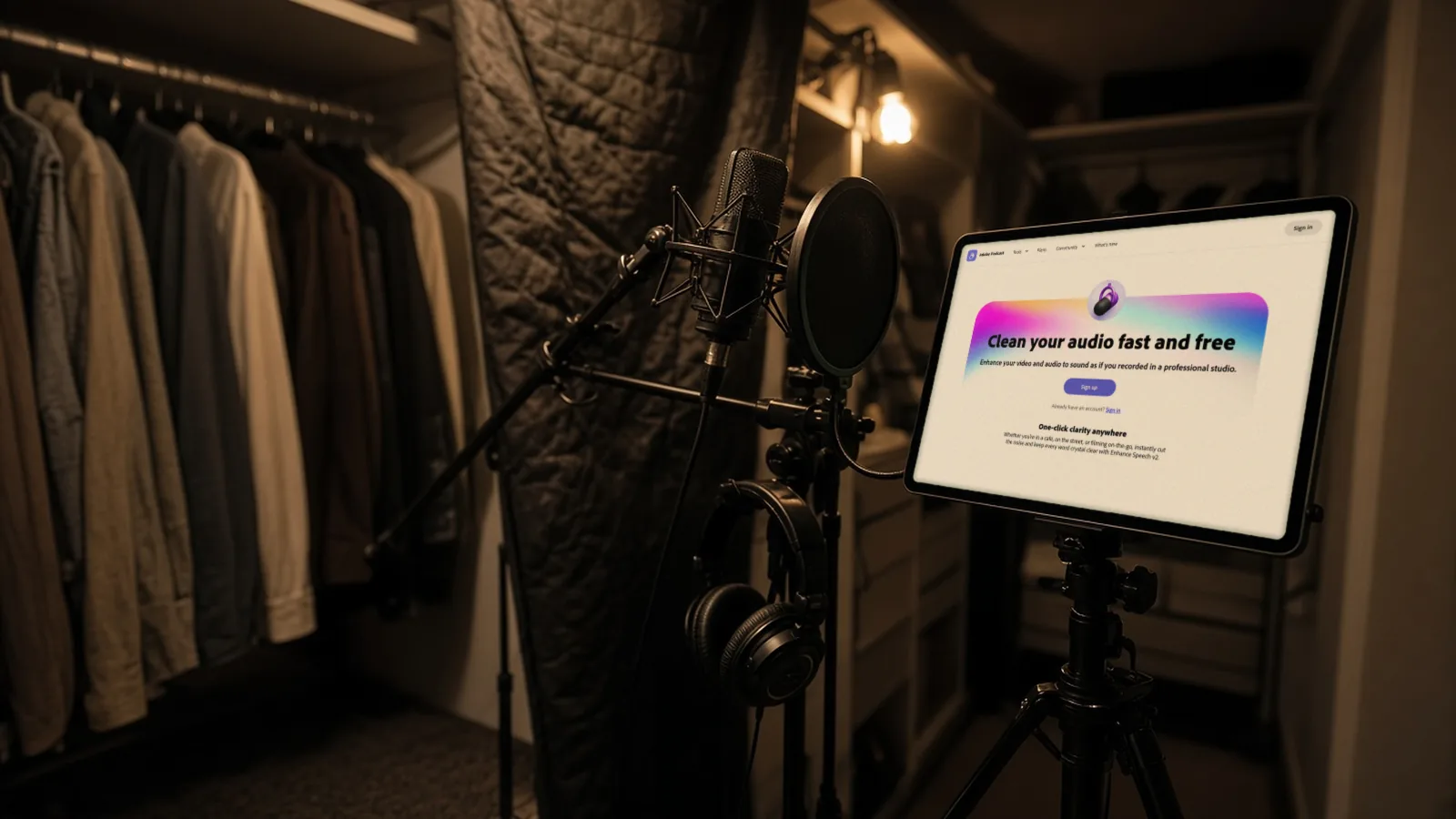
- Best free starting point: Adobe Enhance Speech. Adobe’s page says “Clean your audio fast and free”. Free means audio only, one file at a time, files up to 30 minutes or 500 MB, and up to 1 hour a day. Try both the v2 and v1 models on a 30-second clip.
- Best for steady loudness across episodes: Auphonic. Free gives 2 hours of processed audio a month, but free productions get an Auphonic jingle.
- Best for pulling a voice out of music or chatter: ElevenLabs Voice Isolator. The free plan is personal use only, so it isn’t for monetised videos.
- Lowest list price per hour of paid cleanup: Cleanvoice. Five hours cost $11 once, or 10 hours cost $11 a month. That is a list-price fact (our maths), not a verdict on quality.
- Already editing in Descript or recording in Riverside? Use the built-in enhancer (Studio Sound or Magic Audio) first. Magic Audio isn’t on Riverside’s Free plan.
We haven’t run any audio through these tools yet. So we don’t say which one sounds best, removes the most noise or sounds the most natural. We also can’t rescue everything: Cleanvoice’s own page says very loud noise can’t be fully fixed, and Descript’s help page warns that Studio Sound can produce silence on very noisy recordings.
Research-based comparison. We have not tested these tools hands-on yet. Everything below comes from official pages, checked 28 October 2026. Cost note: every tool here has a free route, but each free plan has a catch (a file cap, a jingle, personal-use only, or a one-off allowance). The “paid Adobe” route is now Firefly Pro at $19.99 a month in the US, because Adobe Podcast Premium is no longer sold on its own to new members.
At a glance: free option, the catch, and first paid plan (USD)
| Tool | Free option | Catch on the free plan | First paid plan |
|---|---|---|---|
| Adobe Enhance Speech | Free: audio only, one file at a time, up to 30 min or 500 MB, up to 1 hour a day | No video files, no bulk upload; longer files need a paid plan | Firefly Pro $19.99 a month (US) |
| Auphonic | 2 hours of processed audio a month, AI algorithms included | Free productions get an Auphonic jingle; free hours don't stack | S plan: 9 hours for $13 a month, or one-time 5 hours for $12 |
| ElevenLabs Voice Isolator | About 10 minutes a month | Personal use only: no commercial use on Free | Starter $6 a month (30 min) |
| Cleanvoice | 30 minutes of free credits on sign-up, no expiry, no card | A one-off allowance, not monthly; guest uploads are trimmed | 5 hours for $11 once, or 10 hours for $11 a month |
| Descript (Studio Sound) | Studio Sound is listed as 'Limited' on Free | Uses one-time AI credits; check what a Free export looks like before publishing | Hobbyist $16 a month yearly ($24 monthly) |
| Riverside (Magic Audio) | Not listed on the Free plan | Treat as paid: listed under Pro | Pro $24 a month yearly, $29 monthly |
What we checked
- Opened Adobe Podcast's Enhance Speech page signed out on 28 Oct 2026, and read Adobe's Enhance Speech FAQ, the v1 vs v2 guide, the Podcast plans page, the Premium plan-change FAQ (updated 30 Jul 2026) and the Firefly plans page
- Read Auphonic's pricing page, ElevenLabs' Voice Isolator page, Cleanvoice's pricing and free-credits pages, Descript's pricing page and Studio Sound help page, and Riverside's pricing and Magic Audio pages
- Read YouTube's help page on disclosing altered or synthetic content
- Not done yet: running the same recorded test clip through each tool, comparing results by ear, or testing non-English speech
What we checked, and what still needs testing
We opened Adobe’s Enhance Speech page signed out, and read the help, plan and pricing pages for all six tools. We also read YouTube’s help page on AI labels for audio edits. Everything below is from those pages. We haven’t heard a single processed file yet.
Here is the free test we’ll run before we say anything about sound quality. It uses free plans only, no card, and only our own voice:
- Record a 2-minute clip of our own voice. The first half is in a quiet room. The second half has a fan, an echoey room and quiet background music. Export it as WAV and use the same file everywhere.
- Run it through Adobe Enhance Speech v2 and v1, and screenshot where the version switch and strength slider sit. We haven’t confirmed where they are in the app.
- Run it through Auphonic Free with default settings, then with Noise & Reverb Reduction. Note where the jingle appears and how many credits the run uses.
- Run the music section through ElevenLabs Voice Isolator Free. We won’t publish the output.
- Try Cleanvoice with a guest upload first, then the 30 free minutes, with Keep Music on and off.
- Apply Descript’s Studio Sound at two Intensity levels and note the AI credits used.
- Check in the app whether Riverside’s Free plan can run Magic Audio.
- A small blind listening test with three people on phone speakers and headphones, labelled “small informal test, not a study”. We’ll add one non-English clip too.
Not testable for free: Adobe’s video and bulk features (Firefly Pro), Auphonic without the jingle, ElevenLabs for commercial use, and Riverside Magic Audio.
Adobe Enhance Speech (free), and what happened to Adobe Podcast Premium
Adobe’s page says Enhance Speech removes “reverb, chatter, and background music”. Adobe’s help page adds that it filters noise and artifacts, adjusts pitch and volume, and is language-agnostic. It works with MP3, WAV, M4A, FLAC, OGG and AAC, and returns the same format you uploaded.
Free vs paid, from Adobe’s help and plans pages:
| Free | Paid (Firefly Pro route) | |
|---|---|---|
| File types | Audio only | Audio plus video files (MP4, MOV, M4V) |
| Files at once | One | Bulk upload |
| File size and length | Up to 30 minutes or 500 MB | Up to 2 hours or 1 GB |
| Daily limit | Up to 1 hour a day | Up to 4 hours a day |
| Extra controls | Strength slider (v2) | “Adjust speech, music, and ambience” |
The help article is a Firefly page, so we’ll confirm the same limits inside podcast.adobe.com during testing.
A 60-minute episode is over the 30-minute free file cap. On the free plan you’d split it into two files, and one episode still fits inside the 1-hour daily cap.
v1 or v2?
Adobe says v2 “is the new and improved model”, but “there may be certain use cases where v1 is better suited”. Adobe’s own tip is to run a 30-second clip through both. Adobe’s announcement of v2 (20 November 2024) said it added a strength slider and a clarity boost for quiet audio. We’ll show our side-by-side test once we’ve done it, and we make no claim about which model is better.
“Adobe Podcast Premium” is now Firefly Pro
Since 30 August 2026, Adobe Podcast Premium isn’t sold on its own to new members. Adobe’s plan-change FAQ says checkout points to Adobe Firefly Pro, “which includes everything Podcast offered”, and that Enhance Speech “is not going anywhere”. Here is what changes:
- New buyers: Firefly Pro is $19.99 a month in the US, with 4,000 generative credits a month. Adobe also lists Firefly Standard at $9.99 (2,000 credits), Pro Plus at $49.99 (10,000 credits) and Premium at $199.99.
- Existing Premium subscribers: they keep their price and get Firefly Standard (2,000 credits a month) free. If they cancel and come back later, they’d need Firefly Pro.
- What the paid Podcast route adds: video files, bulk upload, “Adjust speech, music, and ambience”, up to 4 hours a day and files up to 1 GB.
- Free trial: the plans page says “Start free trial”, but we couldn’t confirm the length, so we don’t print a number. Trials renew automatically unless you cancel.
So don’t search for “Adobe Podcast Premium price”. If you need video or longer files, the route is Firefly Pro, and prices outside the US can differ. Credits reset monthly and don’t roll over.
Auphonic: the “post-production robot” for levelling and loudness
Auphonic’s pitch is different from Adobe’s. It’s built for consistent levels and loudness targets before you publish, not only voice cleanup. Its pricing page lists an Intelligent Leveler, Noise & Reverb Reduction, filtering, loudness specs, filler and silence cutting, audiograms and an API.
The free plan: 2 hours of processed audio a month, AI algorithms included. The catches, from the same page:
- Free productions get an Auphonic jingle.
- Free credits don’t stack from month to month.
- Multitrack productions on Free must be under 20 minutes.
- Free has no batch processing, watch folders, multilingual speech recognition or shownotes and chapters.
How it bills: by the length of the input, with a minimum of 3 minutes per production. Re-running the same input is free, multitrack is billed by output length, and there is a “Refund credits” option. Monthly tiers start at the S plan (9 hours for $13 a month), then M (21 hours, $30), L (45 hours, $64), XL (100 hours, $136) and 250 hours for $290. One-time credits never expire: 5 hours for $12, 10 hours for $23, 25 hours for $55, 50 hours for $100 and 100 hours for $171.
The pricing page defaults to euros, and prices exclude VAT, so switch to USD to see dollar prices. Yearly prices appear lower, but we haven’t confirmed whether they are per-month equivalents.
The other picks
ElevenLabs Voice Isolator
It strips “background music, overlapping conversations, and ambient interference”, and handles files up to 1 hour or 500 MB in WAV, MP3, FLAC, OGG or AAC. It costs 1,000 credits a minute and has an API. ElevenLabs says it isn’t designed for music vocals. The free plan gives about 10 minutes a month and is personal use only. Paid plans: Starter $6 a month (30 minutes), Creator $22 (121 minutes) and Pro $99 (600 minutes). The page also shows first-month promo prices, which we ignore. We don’t cover ElevenLabs’ text-to-speech here. For its voice agents, see our news note.
Cleanvoice
Cleanvoice’s Clean Audio removes noise and balances loudness and room reverb, with optional Enhance and Enhance Mix controls and a “Keep Music” toggle. Files can be up to 3 GB with an account, and are deleted after 7 days, so download them promptly. It takes WAV, MP3, M4A, FLAC, OGG, AAC and video files (MP4, MOV, WebM). The free route is 30 minutes of credits on sign-up, with no expiry and no card, and a guest upload is also possible but trimmed (audio over 30 minutes, video over 10 minutes). Paid: 5 hours for $11 as pay-as-you-go (valid 2 years), or 10 hours for $11 a month, 30 hours for $28 and 100 hours for $90, with rollover up to three times your plan. Prices exclude VAT, and the page title mentions euros, so the currency you see depends on location.
Descript Studio Sound (if you already edit in Descript)
Descript’s help page says Studio Sound is an AI effect that reduces noise and echo. It has an Intensity slider, uses AI credits on current plans and can be switched on while recording. It doesn’t work on AI-generated text-to-speech until that audio is converted. Studio Sound is listed as “Limited” on the Free plan, which has 100 one-time AI credits and 60 media minutes a month. Descript’s pricing page markets “watermark-free” video export on paid plans, so check what a Free export looks like before you publish. Hobbyist is $16 a month billed yearly ($24 monthly). This article doesn’t compare Descript with Riverside beyond this one line.
Riverside Magic Audio (if you record in Riverside)
Riverside lists background noise removal, reverb reduction, EQ, a voice enhancer and loudness adjustment, and says it’s language-agnostic. You apply it through AI Producer, then Magic Audio, then Apply. It takes MP3, WAV and OGG, and video uploads in MP4, MPEG and WEBM. Riverside’s pricing page lists it under Pro, not Free, and says it doesn’t use AI credits. Pro is $24 a month billed yearly ($288 a year) or $29 monthly. The pricing page showed a “staging environment… may not be up to date” banner when we opened it, so re-check the price before you buy.
What we left out
Editor built-ins (Premiere Pro, DaVinci Resolve, Filmora, Audacity) also have noise tools, but we haven’t researched them. “AI music enhancers” for mastering songs are out of scope here. For AI voices (text to speech), not cleanup, see our best AI voice generator for YouTube comparison.
Does an AI audio enhancer need an AI label on YouTube?
YouTube’s help page on altered or synthetic content lists “voice or audio repair” and “using effects to enhance previously recorded audio” among the edits that don’t need disclosure. The rule is different if you replace words or clone someone else’s voice. That is a global help-centre policy, not a country-specific one. Read the page itself if you do anything beyond cleanup. For YouTube’s separate AI labels on music, see our news item on YouTube Music AI labels.
A simple free workflow
- Record close to the microphone in a soft room (clothes, curtains or a blanket help).
- Export a WAV, not a low-bitrate MP3.
- Run a 30-second clip through Adobe Enhance Speech v1 and v2, as Adobe suggests.
- Pick the version you prefer, and process the whole file. Split anything over 30 minutes.
- If you need consistent loudness across episodes, run the result through Auphonic Free, and remember it adds a jingle.
- Listen on phone speakers and headphones before you publish.
Once the audio is clean, the next job is getting the episode seen. If you want your cleaned-up episode turned into clips and posted to 15+ places with one-tap approval, AIFix Creator Autopilot does that. It’s our own service, and you don’t need it for any tool above. Our Opus Clip alternatives comparison covers clipping tools too.
Pros and cons
These come from the makers’ own pages, not from testing.
Adobe Enhance Speech
- Pros: free; v1 and v2 to choose from; language-agnostic; common audio formats in and out.
- Cons: 30-minute file cap and 1 hour a day on Free; video and bulk need Firefly Pro; Premium no longer sold standalone, which confuses buyers.
Auphonic
- Pros: 2 free hours a month; levelling, loudness, noise and reverb reduction, filler and silence cutting; API on Free; one-time credits never expire; free re-runs of the same input.
- Cons: jingle on Free; free hours don’t stack; the page defaults to euros; yearly pricing detail unconfirmed.
ElevenLabs Voice Isolator
- Pros: built to separate voice from music, chatter and noise; API; files up to 1 hour.
- Cons: Free is personal use only and about 10 minutes; paid minutes add up for long episodes; not designed for music vocals.
Cleanvoice
- Pros: 30 free minutes with no card; low per-hour list prices; rollover; noise, loudness and mouth sounds in one tool; Keep Music option.
- Cons: files deleted after 7 days; currency shown varies by location.
Descript Studio Sound
- Pros: inside the editor; Intensity slider; works while recording.
- Cons: uses AI credits; “Limited” on Free; can silence speech on very noisy files.
Riverside Magic Audio
- Pros: one click inside Riverside; no AI credits; language-agnostic.
- Cons: Pro and up only, per the pricing page; the pricing page showed a staging banner.
Pricing in USD, and what a weekly podcast costs
All prices are from official pages, checked 28 October 2026, before tax or VAT.
| Tool | Free | Entry paid | Next tier |
|---|---|---|---|
| Adobe Enhance Speech | $0, files up to 30 min, 1 hour a day | Firefly Pro $19.99 a month (US) | Pro Plus $49.99 a month |
| Auphonic | $0, 2 hours a month plus jingle | S: 9 hours, $13 a month (or one-time 5 hours, $12) | M: 21 hours, $30 a month |
| ElevenLabs Voice Isolator | $0, about 10 min, personal use | Starter $6 a month, 30 min | Creator $22 (121 min); Pro $99 (600 min) |
| Cleanvoice | 30 min free credits | 5 hours $11 once, or 10 hours $11 a month | 30 hours $28 a month |
| Descript (Studio Sound) | Limited | Hobbyist $16 yearly ($24 monthly) | Creator $24 yearly ($35 monthly) |
| Riverside (Magic Audio) | Not on Free | Pro $24 yearly ($288 a year) or $29 monthly | Grow $34 yearly ($408 a year) or $39 monthly |
Our maths: a weekly podcast. One 60-minute episode a week is 4 to 5 episodes a month, or roughly 4.3 to 5 hours of single-track audio. On list prices:
- Adobe Free: $0, if you’re happy to split each episode into two files under 30 minutes.
- Auphonic: the free 2 hours covers about two episodes, with a jingle. For every episode, the S plan (9 hours) is $13 a month, or the one-time 5 hours at $12 covers about a month.
- Cleanvoice: 10 hours at $11 a month covers it with room to spare. Pay-as-you-go 5 hours at $11 covers about a month.
- ElevenLabs: about 260 to 300 minutes a month is over Creator’s 121 minutes, so you’d need Pro at $99 a month. That makes it better suited to short clips and rescue jobs than whole episodes.
- Adobe paid: Firefly Pro at $19.99 a month only makes sense if you need video files, bulk upload or files over 30 minutes.
Outside the US?
- Availability: Adobe Podcast isn’t available in some countries and regions; check Adobe’s help page for the current list. We haven’t checked the country lists for the other tools, so we don’t claim anything.
- Prices: $19.99 for Firefly Pro is the US price. Other countries see local prices we haven’t captured, so check Adobe’s regional page. Auphonic shows euros by default with a USD switch, and Cleanvoice may show euros.
- Tax: Auphonic, ElevenLabs and Cleanvoice list prices without VAT or taxes, so tax may be added at checkout.
- Payment: the routes that need no card are Adobe’s free plan, Auphonic Free and Cleanvoice’s 30 free minutes. That avoids card-payment problems. Cleanvoice takes payments through Paddle (cards, PayPal, Apple Pay), but we haven’t confirmed whether PayPal works in every country.
- Everywhere: YouTube’s rule that audio repair needs no AI label is global.
Who it's for
Which should you pick?
| If you… | Start with | Why |
|---|---|---|
| Want a free fix for one episode | Adobe Enhance Speech | Free, no card; split files over 30 minutes |
| Publish weekly and care about steady loudness | Auphonic Free, then S if you need more | 2 free hours a month; free output carries a jingle |
| Need to pull a voice from music or chatter | ElevenLabs Voice Isolator (paid for commercial use) | Built for it; Free is personal use only |
| Want the lowest list price per hour | Cleanvoice | 5 hours for $11 once, or 10 hours for $11 a month |
| Already edit in Descript | Studio Sound | Inside the editor; uses AI credits |
| Record in Riverside | Magic Audio | One click; needs Pro |
| Need video files or bulk upload from Adobe | Firefly Pro | Adobe Podcast Premium is no longer sold to new members |
FAQ
Is Adobe Podcast Enhance Speech free?
Yes, with limits. Adobe’s page says “fast and free”. Free covers audio only, one file at a time, files up to 30 minutes or 500 MB, and up to 1 hour a day. It’s not “unlimited”.
Should I use Adobe Enhance Speech v1 or v2?
Adobe calls v2 the new and improved model, but says v1 may suit some recordings better. Adobe’s tip is to run a 30-second clip through both. We haven’t compared them yet.
Is Adobe Podcast Premium gone?
It isn’t sold on its own to new members since 30 August 2026. Checkout points to Firefly Pro, and Adobe says Enhance Speech “is not going anywhere”. Existing Premium subscribers keep their price plus Firefly Standard.
Is Auphonic free?
It has a free plan with 2 hours of processed audio a month, but free productions get an Auphonic jingle, and free credits don’t stack.
Can I use ElevenLabs Voice Isolator’s free plan for YouTube?
Not for monetised videos. ElevenLabs lists the free plan as personal use only. Commercial use needs a paid plan.
Does it work for languages other than English?
Adobe and Riverside describe their enhancers as language-agnostic. We haven’t tested non-English speech, so run a short clip first.
Do I need to tell YouTube I used AI to clean my audio?
According to YouTube’s help page, audio repair and enhancing previously recorded audio don’t need an AI label. Replacing words or cloning a voice is different.
Sources
- Adobe Podcast: Enhance Speech, Adobe (checked 28 Oct 2026)
- What is Enhance Speech (v1 vs v2 guide), Adobe Podcast (checked 28 Oct 2026)
- Enhance Speech v2 is here (Nov 2024 announcement), Adobe Community (checked 28 Oct 2026)
- Frequently asked questions about Enhance Speech, Adobe Help (checked 28 Oct 2026)
- Adobe Podcast plans, Adobe (checked 28 Oct 2026)
- Adobe Podcast Premium plan change FAQ (updated 30 Jul 2026), Adobe Help (checked 28 Oct 2026)
- Adobe Firefly plans (US), Adobe (checked 28 Oct 2026)
- Adobe Podcast FAQ (availability), Adobe Help (checked 28 Oct 2026)
- Auphonic pricing, Auphonic (checked 28 Oct 2026)
- ElevenLabs Voice Isolator, ElevenLabs (checked 28 Oct 2026)
- Descript pricing, Descript (checked 28 Oct 2026)
- Studio Sound, Descript Help (checked 28 Oct 2026)
- Riverside pricing, Riverside (checked 28 Oct 2026)
- Riverside Magic Audio, Riverside (checked 28 Oct 2026)
- Cleanvoice pricing, Cleanvoice (checked 28 Oct 2026)
- Do I get free credits to try Cleanvoice?, Cleanvoice Help (checked 28 Oct 2026)
- Cleanvoice: remove background noise (FAQ), Cleanvoice (checked 28 Oct 2026)
- Disclosing use of altered or synthetic content, YouTube Help (checked 28 Oct 2026)
- Creator Autopilot, AIFix (checked 28 Oct 2026)
This post was drafted with help from an AI assistant, then checked, edited and approved by Numan Malik.
Numan Malik, Founder, AIFix. Reviewed and approved by Numan before publishing. More about Numan · Editorial policy