Guide AI writing and marketing
How to Disclose AI Content on YouTube: A Practical Upload Checklist
Work out when realistic AI video, audio or music needs disclosure, find the current upload setting and keep a simple review record.

Research-based overview: we have not tested this hands-on yet, so there is no score. Facts come from the makers' own pages, linked below.
On this page
- 1. Make an AI-use inventory before the upload
- 2. Apply YouTube’s realistic-content rule
- 3. Separate assistance from meaningful alteration
- 4. Complete the current upload disclosure
- 5. Know what the label does—and does not do
- 6. Keep a short sign-off record
- Worked examples: review the finished story, not the tool name
- An editor-to-uploader handoff you can reuse
- Common mistakes to avoid
- Frequently asked questions
If AI makes a realistic event appear to have happened when it did not, plan to disclose it on YouTube. If AI only helps you outline a script or repair noisy audio, the disclosure decision is different. The important question is what the audience could mistake for reality—not simply whether an AI tool touched the project.
This guide follows YouTube’s official GenAI disclosure help, checked 8 November 2026. It covers the uploader’s decision for a general video, rather than only the separate music-label topic. It is a documentation-based workflow, not a claim that we uploaded a test video.
1. Make an AI-use inventory before the upload
Write down which parts of the final export were generated or altered: footage, still images, voices, background music and production assistance. Include material supplied by a freelancer. The editor who presses Upload may not know how every asset was made.
Use a simple record:
| Asset | What changed? | Could viewers think it is real? | Review decision |
|---|---|---|---|
| Script outline | AI-assisted planning | Not a depiction of an event | Production assistance |
| Location cutaway | Generated realistic footage | Could look like a filmed visit | Disclose |
| Narration | Own-voice clone | Check context and other edits | Review whole video |
| Background music | Generated track | AI music is listed by YouTube | Disclose |
These are planning examples, not determinations about a video we have inspected. Review the finished combination: a harmless asset on its own can become misleading when edited into a claim about a real person or event.
2. Apply YouTube’s realistic-content rule
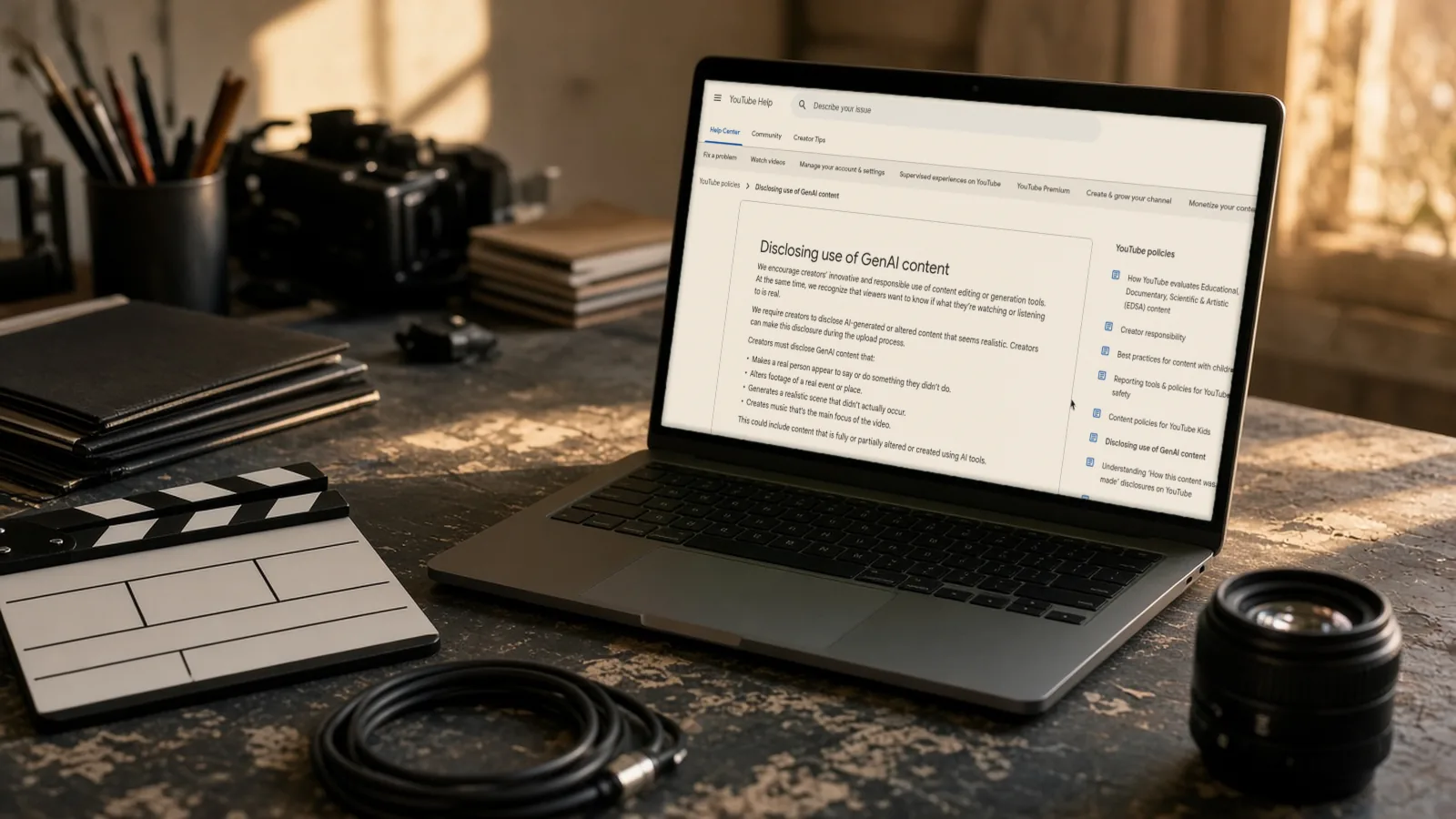
YouTube requires disclosure when content makes a real person appear to say or do something they did not; alters footage of a real event or place; or generates a realistic scene that did not occur. Its current page also identifies AI-generated music as content requiring disclosure.
For a service business, the risky case is a realistic generated “customer visit” that looks like documentary footage. For a creator, it could be a synthetic interview answer or a realistic historical recreation presented without context. Calling footage illustrative in your own production notes does not tell the viewer what it is.
Do not treat the disclosure field as permission to impersonate someone, use unlicensed material or make a false testimonial. YouTube’s Community Guidelines still apply to AI-generated and altered content. Rights, consent and truthfulness need their own review.
3. Separate assistance from meaningful alteration
YouTube lists AI-assisted outlines, scripts, thumbnails, titles, infographics and captions among examples that do not require disclosure. It also lists minor colour or lighting changes, sharpening, upscaling, audio repair, and cloning your own voice for voiceovers or dubs.
That does not mean all voice cloning is exempt. Making another real person appear to give advice they never gave is one of YouTube’s disclosure examples. The identity and the effect on the viewer matter.
A clearly fantastical animation is also different from a photorealistic scene. Do not turn that into a blanket rule that animation can never mislead. Review what your particular video represents and consult the current examples when the case is unclear.
4. Complete the current upload disclosure
The help page currently calls the setting “AI use” and places it in the upload Attributes section. Interface wording can vary by device, account and rollout; use the official help link if your upload screen looks different.
- Open YouTube Studio and start the normal video upload.
- Review the final export against your inventory, not an earlier rough cut.
- Find the AI disclosure question. In the current documentation this is Attributes → AI use.
- Choose Yes if the content meets the disclosure requirements, or No if it does not.
- Complete the remaining video details and your usual approval checks before publishing.
This workflow does not require buying an AI generator or a paid analytics tool. It does require access to the channel’s upload workflow. Do not share channel credentials with a freelancer just to complete the checklist; use your established permissions and review process.
5. Know what the label does—and does not do
YouTube says disclosing AI content alone will not limit a video’s audience or affect its eligibility to earn money. That is not a guarantee of monetisation for every AI-assisted channel: the video still has to comply with the platform’s other requirements.
Depending on the material, labels may appear in the player or expanded description. YouTube may also apply labels automatically for its own AI tools, C2PA metadata or content detected by its systems. Do not promise a client one fixed label position for every video.
If an automatic label appears to be wrong, YouTube says creators can change the disclosure in most cases through the survey under Attributes. Exceptions include content made with YouTube’s AI tools, content containing C2PA metadata and labels applied after manual review. Check the specific case rather than repeatedly changing unrelated metadata.
6. Keep a short sign-off record
Save the export filename, upload date, AI-use inventory, disclosure answer, reviewer and any unresolved rights question. Add a link to the policy checked that day. If the video is substantially re-edited, repeat the review.
Consistent non-disclosure can lead to manual labels or penalties, including content removal or suspension from the YouTube Partner Programme. A clear handoff between editor and channel owner is therefore more useful than leaving the decision until the final upload screen.
A reusable sign-off note can be as short as:
Export reviewed: [filename]. AI assets: [list]. Realistic changes: [description]. Disclosure: [Yes/No and reason]. Rights/consent checks: [record]. Approved by: [reviewer]. Policy checked: [date].
Worked examples: review the finished story, not the tool name
These are hypothetical production examples based on YouTube’s published categories. They are not videos we uploaded, policy rulings from YouTube or guarantees about a specific channel.
Example A: a tutorial with a generated outline. A creator uses an AI assistant to organise chapter headings, records their own explanation and adds automatically generated captions. YouTube lists outline assistance and caption creation among the examples that do not require disclosure. Record the use in your internal inventory, but do not assume the disclosure is required merely because the script started with AI assistance. Check that the final video contains no additional realistic synthetic material.
Example B: a business overview with synthetic premises footage. An editor generates a photorealistic clip of a workspace that viewers could reasonably mistake for the company’s actual premises. That fits the concern about realistic scenes that never occurred. Plan to disclose, and make the illustrative nature clear in the video where it affects the claim. Better still, use genuine authorised footage when showing what a customer can expect from the actual company. A platform label does not correct an inaccurate representation of the service.
Example C: a repaired recording versus an invented speaker. Cleaning background noise from a genuine interview is listed differently from making a person appear to give advice they never gave. An editor should not describe both as “AI audio enhancement” in the handoff. Record whether the words and speaker identity came from an original recording, whether any new speech was generated and whether the final edit changes the apparent meaning.
Example D: an animated explainer with generated music. The images may be obviously non-realistic, but the soundtrack still needs a separate review. YouTube’s introductory rule specifically mentions music that is the main focus of a video, while its disclosure-required examples also list AI-generated music more broadly. Do not read the narrower introductory wording as a blanket exemption for background tracks. Review the current music guidance, record your decision and avoid asserting that a generated soundtrack needs no disclosure just because the pictures are animated.
An editor-to-uploader handoff you can reuse
Ask the editor to supply a small asset manifest with the final export. A row per asset is enough; there is no need for a complex paid system. Use these fields:
- Where it appears: the time range or scene name in the final export.
- Original or generated: whether the material was filmed, licensed, generated or meaningfully altered.
- What changed: describe the substance, not just the software used.
- Identity and reality: whether it depicts a real person, real place or apparently real event.
- Music and voice: list generation, cloning and repair separately.
- Rights evidence: where the licence, permission or original recording is kept.
- Disclosure recommendation: the proposed answer and the relevant official example.
The channel owner should review any unclear row before upload. If an editor cannot say whether an asset is synthetic, do not silently mark it as original. Ask for the source or replace it with material whose origin is documented. Keep the production record separate from the public description: the public does not need private licence documents or contributor contact details.
For a recurring series, create one reusable checklist but complete a fresh record for each export. A previous episode’s decision cannot automatically approve new footage, a different voice or a replacement soundtrack.
Common mistakes to avoid
“The AI tool says commercial use is allowed, so we are finished.” Commercial-use terms and YouTube disclosure are different questions. You still need to consider rights, identity, context and the platform’s rules. Keep the licensing check alongside the disclosure decision rather than replacing one with the other.
“We added a sentence in the description, so the upload setting does not matter.” YouTube provides a specific disclosure mechanism. Follow the documented survey when the content meets the requirements. Extra explanatory wording can help viewers understand a reconstruction, but should not be used as a reason to skip the platform field.
“The platform did not label it automatically, so no disclosure is necessary.” Automatic detection is not a substitute for creator review. Your team knows how the assets were produced; use that knowledge before the video becomes public.
“Every AI-assisted edit requires the same answer.” YouTube’s examples distinguish realistic meaningful alteration from production assistance and minor repairs. An inventory lets you make that distinction without guessing from a tool name or imposing a blanket rule on every video.
Frequently asked questions
Does an AI-written script automatically need disclosure?
YouTube lists creating or improving an outline or script under production assistance that does not require disclosure. Review the finished audiovisual content as well: a script-assisted video may still contain realistic generated footage or other assets that do meet the disclosure requirements.
What about cloning my own voice?
The current help page lists cloning one’s own voice for voiceovers or dubs among examples that do not require disclosure. That example does not clear every possible use of the voice or every other asset in the video. It also should not be extended to cloning someone else’s identity or making them appear to say something they did not say.
Where exactly is the current setting?
The Computer version of YouTube’s official help page, opened for this guide on 8 November 2026, says: “In the Attributes section, under ‘AI use,’ select Yes” when the content meets the requirements, or No when it does not. This wording comes from public documentation, not our own signed-in upload test. Account interfaces may differ; if yours does, use the help link rather than assuming an absent or differently named field removes the obligation.
Can a labelled video still earn money?
YouTube says disclosure alone does not affect eligibility to earn money or limit the audience. It is not a promise that a particular channel or video qualifies. Other monetisation and content rules continue to apply, so do not sell a disclosure checkbox as a way to make any AI video eligible.
What should I do if an automatic label seems wrong?
Review the notification and the current help instructions. YouTube says most erroneous automatic labels can be addressed through the disclosure survey, but identifies exceptions for its own AI tools, C2PA-bearing content and manual-review labels. Preserve a record of the original assets and the disclosure decision. Do not remove useful provenance or misstate how the video was made to chase a different label.
If chasing these approvals is slowing your publishing schedule, AIFix automation can help organise the checklist and reminders. Keep the final disclosure decision and publication approval with a person.
Sources
- Disclosing use of GenAI content, YouTube (checked 8 Nov 2026)
This post was drafted with help from an AI assistant, then checked, edited and approved by Numan Malik.
Numan Malik, Founder, AIFix. Reviewed and approved by Numan before publishing. More about Numan · Editorial policy