Comparison AI writing and marketing
Gemini Notebook vs ChatGPT Projects: Which Fits Your Research Workflow?
Choose source-grounded research or an ongoing drafting workspace. Compare current source handling, free-plan limits, privacy and practical trade-offs.

No one paid for this, and it has no affiliate links. How we review.
Research-based overview: we have not tested this hands-on yet, so there is no score. Facts come from the makers' own pages, linked below.
On this page
- The real difference: evidence collection or working context
- What the free starting point actually includes
- Source handling can change your choice
- Privacy: check settings before adding client work
- A fair evaluation you can run yourself
- Three practical examples: choose by the handoff
- Build an evidence sheet that survives switching tools
- Decision criteria before you pay or migrate
- Frequently asked questions
- Our workflow recommendation
Choose Gemini Notebook for working through a defined collection of evidence. Choose ChatGPT Projects for keeping an ongoing writing or planning job together across conversations. Neither choice removes the need to open the original document and check a claim.
Google’s current help pages at the notebooklm support URLs call its product Gemini Notebook. This comparison uses that name; it does not infer a launch date or a rollout announcement from the documentation. All features below were checked against the linked official help pages on 8 November 2026. This is research-based, not a hands-on benchmark.
Research workspace comparison
| Tool | Best starting job | Free source allowance | Important caveat |
|---|---|---|---|
| Gemini Notebook Source-grounded research | Question a selected evidence pack | 50 sources per notebook | Imported YouTube source is transcript only |
| ChatGPT Projects Ongoing drafting context | Keep chats, instructions and files together | 5 files per project | Normal plan usage limits still apply |
The real difference: evidence collection or working context
Gemini Notebook is designed to answer from the sources you supply, with clear in-line citations. That makes it a natural starting point for a creator researching an interview or a business reviewing several public supplier documents. Google also lists outputs such as briefings, study guides, mind maps and audio overviews. A generated briefing is still an interpretation, not an approved statement from the source author.
ChatGPT Projects organise chats, files and project instructions. The value is continuity: you can keep a campaign brief, previous draft decisions and recurring instructions in one workspace. Project instructions override global custom instructions within that project. Projects can also use tools such as web search, subject to plan and workspace settings.
The difference is not “one can read documents and the other cannot.” Both can work with supplied material. It is whether your main problem is tracing evidence back to a collection or keeping a developing assignment coherent.
What the free starting point actually includes
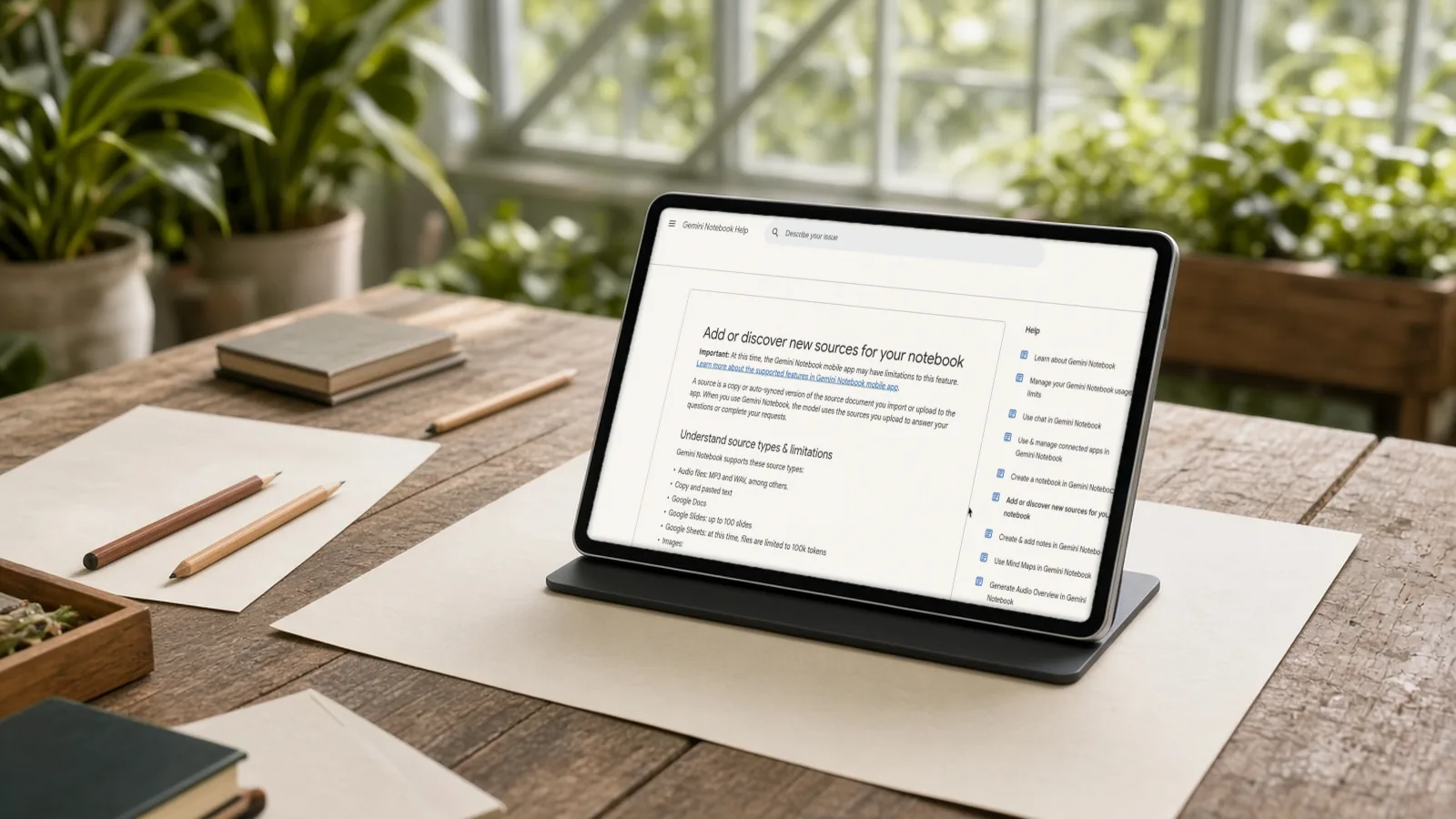
Google’s source-import help lists up to 50 sources for Free users, with each source containing up to 500,000 words or an uploaded file up to 200 MB. Those are source limits, not a guarantee of unlimited chat or output generation. Account eligibility, supported territories and administrator settings still apply.
OpenAI’s current Projects help lists five files per Free project, with project sharing available on Free and other listed plans. Free owners can have up to five collaborators. Regular model and tool usage limits still apply inside a project.
Neither free starting workflow requires a subscription purchase. We do not quote paid-plan prices because this decision can be evaluated without paying. Larger projects, additional tools or higher limits can require paid access; check the live plan offered to your own account before upgrading. The two source counts are not a performance score: a curated short source set can be more useful than a large untidy one.
Source handling can change your choice
Google supports public YouTube URLs with captions, importing the transcript rather than analysing the full video as a visual source. Videos uploaded less than 72 hours earlier may not be available. A creator investigating camera technique should not assume the tool saw lighting, framing or on-screen demonstrations from the transcript alone.
For webpage sources, Google imports text from the supplied HTML page, not its nested webpages, images or embedded videos. Paywalled webpages are not supported. If a crucial chart is only an image, verify it separately rather than accepting an answer built from the surrounding prose.
Google’s current documentation says imported Drive files auto-update, with a manual sync option. It also warns that studio outputs already generated from a source do not change when the source is updated or deleted. Refreshing a reference therefore does not automatically correct yesterday’s finished briefing.
ChatGPT Projects accept uploaded files and pasted text. Supported Google Drive and Slack links can also be added as project sources; connecting an app involves access permissions. OpenAI says Google Drive within a project does not support advance sync. Do not promise that either tool will always reflect the latest file without checking its actual source state.
Privacy: check settings before adding client work
Google says personal-account Notebook data is not used for training unless you provide feedback; feedback may allow review of the full interaction, including uploads. Its Workspace and education protections differ from personal-account terms.
OpenAI says personal-account project content may be used for model improvement depending on settings. Business, Enterprise and Edu workspace content is not used for training by default. Shared projects use project-only memory, but that is a context boundary—not a reason to ignore who can access the project. Members can view and download its files.
Start your evaluation with public or synthetic documents. Remove client identities, private financial figures and contract terms unless your organisation has approved the account and processing terms. A convenient free plan is not automatically suitable for confidential work.
A fair evaluation you can run yourself
Use the same small, authorised source pack: one product brief, one dated FAQ and one document containing an explicit exception. Ask each tool:
Using the supplied material, list the main commitments, their exceptions and any contradictions. Give the source for each factual claim. Mark missing information rather than filling it in. Then draft a 150-word customer-facing explanation, keeping unsupported statements out.
Open every referenced passage. Record whether the exception survives the draft and whether the tool clearly separates evidence from advice. Then change one important fact in the original material and check the update path before reusing the output. These are suggested evaluation steps; we have not performed or scored this test.
Three practical examples: choose by the handoff
The examples below are hypothetical workflows, not reports of our own tests or customer results.
Example 1: a creator preparing an interview. You have a guest’s public talk transcript, a dated biography and an article describing their work. The first task is to separate what the guest actually said from what someone else wrote about them. Gemini Notebook is the more direct starting point because the evidence collection is the centre of the assignment. Ask for a question list with the supporting source passage beside each premise. Remove any premise that cannot be traced back to a source before recording.
A useful follow-up is: “Which questions depend on claims that appear in only one source?” This is a way to find weak premises, not a claim that repeated statements are necessarily correct. Several articles may repeat the same original mistake. After verifying the evidence, move only the approved brief into your writing workspace if you need to develop an introduction or promotional copy.
Example 2: a small team writing a recurring newsletter. The main friction is remembering the agreed voice, previous editorial decisions and which sections need approval. ChatGPT Projects is the more direct fit for that ongoing context. Add a short editorial brief and an approved example, then use project instructions to distinguish facts, proposed copy and unanswered questions. Keep the current issue in a clearly named chat rather than letting several issues blur together.
The underlying evidence can still be collected elsewhere. Before asking for a draft, supply a dated facts sheet and ask the tool not to upgrade a suggestion into a promise. For example, “We are considering a new service” must not become “Our new service is available now.” A project can preserve a wrong assumption just as easily as a correct one; assign someone to update the brief.
Example 3: comparing supplier terms. You have three public proposals and need to identify cancellation periods, exclusions and missing information. Start with the evidence-oriented tool, but do not ask it simply to name the best supplier. Ask it to extract each decision field, identify its source, and mark a field absent when the document does not state it. Then review every extracted condition yourself.
If you subsequently use a project to draft a recommendation, include the verified matrix rather than an unreviewed generated summary. Neither product should be treated as a substitute for professional advice on a binding contract. Confidential proposals require approved processing terms before either upload.
Build an evidence sheet that survives switching tools
A small, tool-independent document reduces lock-in and makes review easier. For each important claim, keep five fields: the claim, original source title or URL, exact supporting passage, checked date and reviewer decision. Add a sixth field for the final wording if a marketing draft simplifies the original statement.
Here is an illustrative record:
| Field | Example entry |
|---|---|
| Claim | The supplier supports export |
| Source | Public supplier FAQ, checked today |
| Passage | Copy the actual supporting sentence here |
| Caveat | The FAQ does not specify the export format |
| Draft wording | Export is documented; confirm the format before purchase |
Do not copy that example as a real supplier claim. Its purpose is to show how a missing detail stays visible instead of disappearing in a polished summary. Preserve the original link even when a tool provides an in-line citation: colleagues need a way to verify the material without adopting your AI workspace.
Decision criteria before you pay or migrate
Use a short checklist rather than comparing long feature lists. Evidence traceability: can your reviewer find the supporting passage for the specific claim? Freshness: who checks whether the source changed, and which outputs need regeneration? Access: can the intended colleague use the workspace under your account and administrator rules? Privacy: is the proposed material allowed in this account? Continuity: does the workflow need previous decisions, or should every answer start from a tightly selected source set?
If the obstacle is a small file allowance, try a curated evaluation pack before upgrading. Combining unrelated files merely to bypass a limit can make provenance harder to follow. If the obstacle is confidentiality, buying a higher tier is not by itself a complete approval process. Establish the applicable terms and your organisation’s policy first.
Frequently asked questions
Is Gemini Notebook the same thing as the general Gemini chat app?
Do not assume the workflows are interchangeable. This article concerns the notebook research product described by Google’s notebook help pages. Those pages currently use “Gemini Notebook”; the older notebooklm support URLs return that help material. This is evidence of current documentation wording, not proof of when every account or app changed names. Check the destination and account interface before following instructions.
Are citations enough to make an answer reliable?
No. A citation makes a claim easier to investigate. You still need to check that the passage supports the exact wording, applies to the relevant date and has not been taken out of context. A source can itself be wrong or incomplete. Review the key claims before you reuse a summary in a public post or a customer-facing answer.
Can either tool guarantee the latest version of every document?
No such guarantee is made here. Google documents Drive source updating but warns that previously generated studio outputs do not change with the source. OpenAI says Drive sources inside projects do not support advance sync. Keep an explicit refresh-and-regenerate step for information where stale wording could cause harm.
Should I maintain both tools for one small assignment?
Usually start with one. Add the second only when it solves a distinct handoff, such as moving from checked evidence to ongoing editorial development. Every extra copy introduces an update, access and deletion decision. A shared facts sheet and a regular document editor may be enough for the rest of the job.
Our workflow recommendation
For a research-heavy explainer, start with Gemini Notebook and build a verified evidence sheet. For a recurring campaign or weekly report, start with ChatGPT Projects and maintain an approved brief plus a clear change log. You can also use both, but moving material between them adds another copy to maintain and another privacy decision.
Pick the smallest workflow that preserves the source trail. If collecting documents and routing drafts for approval is the repetitive part, AIFix Autopilot can help you design that process without removing editorial review.
Sources
- Add or discover new sources, Google (checked 8 Nov 2026)
- Learn about Gemini Notebook, Google (checked 8 Nov 2026)
- Projects in ChatGPT, OpenAI (checked 8 Nov 2026)
This post was drafted with help from an AI assistant, then checked, edited and approved by Numan Malik.
Numan Malik, Founder, AIFix. Reviewed and approved by Numan before publishing. More about Numan · Editorial policy