Best Free AI Dictation Apps (2026): Hex vs Handy vs Paid Tools Like Wispr Flow and Superwhisper
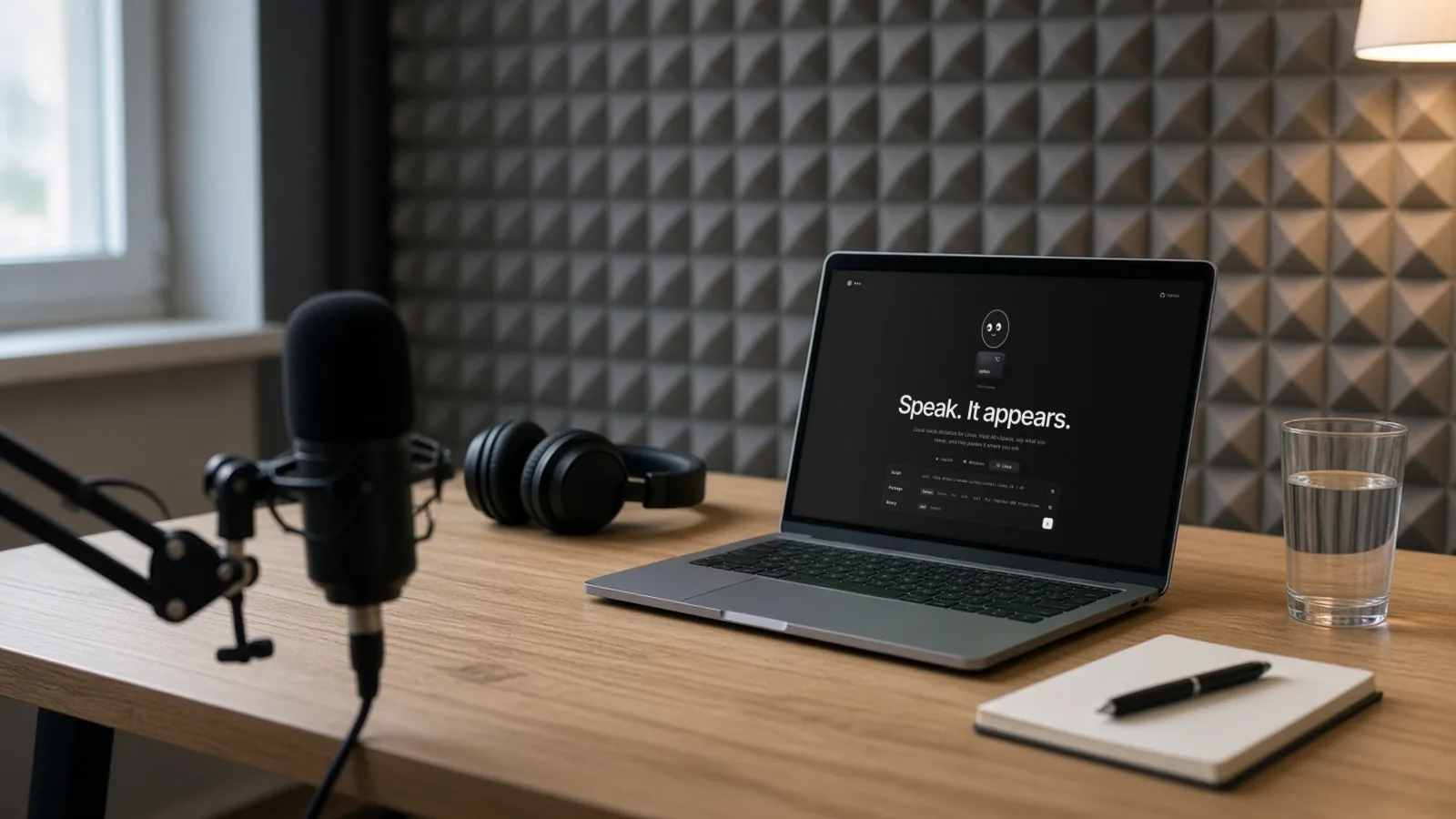
Hex dictation is the new open-source voice-to-text app for Mac, Windows and Linux. Here's Hex vs Handy, two free offline dictation apps, against Wispr Flow, Superwhisper and the dictation already built into Windows and macOS. USD prices from official pages, checked 2 Nov 2026; research-based.

No one paid for this, and it has no affiliate links. How we review.
Research-based overview: we have not tested this hands-on yet, so there is no score. Facts come from the makers' own pages, linked below.
On this page
A new free dictation app called Hex is getting a lot of attention. It went up on GitHub in July 2026, released version 3.2.0 on 1 November, and had nearly 4,000 stars on GitHub when we checked on 2 November. If you’ve seen “hex dictation” mentioned and wonder whether it’s worth switching from a paid tool, or how it compares with Handy, the other popular free option, this page lays them side by side. We’ve added the two best-known paid apps, Wispr Flow and Superwhisper, and the dictation already built into Windows and macOS.
Quick terms. Dictation (or voice-to-text) turns what you say into typed text. A speech model is the AI that does the transcribing; Whisper and Parakeet are two well-known ones. On-device or offline means the transcribing happens on your computer, so your voice isn’t sent to a server. Open source means the code is public and anyone can read it.
Key takeaways
Verdict in one minute
- Hex and Handy are both free, open source and run on your own computer. Neither has a paid plan. Both are released under the MIT licence.
- Hex suits Mac users on Apple silicon running macOS 15 or later. Its Windows and Linux versions are betas.
- Handy is older, much more widely used on GitHub, and runs on Windows, macOS and Linux.
- Wispr Flow has a free plan with weekly usage limits; Pro is $15 a month or $12 a month billed yearly. It also runs on phones, but it needs an internet connection to transcribe.
- Superwhisper has a free plan and a Pro plan at $8.49 a month, $84.99 a year or $249.99 once.
- Built-in dictation costs nothing extra. Windows voice typing needs an internet connection; Mac Dictation shows in Keyboard settings whether it runs on-device.
Research-based comparison. We haven’t installed or tested any of these apps for this page, so we’re not judging accuracy, speed or quality. Everything comes from each app’s own GitHub page, website or help page, read on 2 November 2026. Prices are USD, before tax, and can change.
At a glance: free and paid AI dictation apps (USD)
| Tool | Free option | Paid price | Platforms | Works offline? |
|---|---|---|---|---|
| Hex | Free, open source (MIT) | None | Mac (Apple silicon, macOS 15+); Windows and Linux in beta | Yes, after the first model download |
| Handy | Free, open source (MIT) | None; takes donations | Windows, macOS, Linux | Yes, works completely offline |
| Wispr Flow | Free plan with weekly usage limits | Pro $15/user a month, or $12 billed yearly | Mac, Windows, iOS, Android | No, needs internet (per its help center) |
| Superwhisper | Free plan: unlimited dictation with local Whisper models | Pro $8.49 a month, $84.99 a year or $249.99 lifetime | Mac, Windows, iOS, Android | Yes, per its site |
| Windows voice typing | Built into Windows | None | Windows | No, needs internet (fluid dictation on Copilot+ PCs runs on-device) |
| Mac Dictation | Built into macOS | None | macOS | Depends; Keyboard settings show if it's on-device |
What we checked
- Read the Hex README and feature docs on GitHub, and its repository details from the GitHub API, on 2 Nov 2026
- Read the Handy README and v0.10.0 release notes on GitHub, its repository details from the GitHub API, and handy.computer on 2 Nov 2026
- Read Wispr Flow's pricing page (monthly and annual views) and its Help Center on 2 Nov 2026
- Read Superwhisper's homepage pricing section and its Plans & Pricing docs on 2 Nov 2026
- Read Microsoft Support on Windows voice typing and Apple's Mac User Guide on Dictation on 2 Nov 2026
- Not done: installing any of these apps, or comparing their accuracy or speed
What is Hex?
Hex describes itself, in its README, as “Local voice dictation for Mac, Windows and Linux. Hold a key, speak, and it pastes.” The repository belongs to anomalyco on GitHub, and the project’s homepage is anoma.ly/hex.
Here’s what its own docs say, as of 2 November 2026:
- How it works: hold a key, speak, and Hex pastes the text where your cursor is.
- Privacy: transcription happens on your device. The first run downloads a speech model; the README says “after that nothing leaves your machine”.
- Platforms: macOS needs an Apple silicon Mac and macOS 15 or later. Windows (x64 and ARM64) and Linux are betas. On Windows the default shortcut is Ctrl+Space; x64 PCs need a CPU with AVX2 and a current graphics driver with Vulkan.
- Models: you can add your own speech models in GGUF format, including Parakeet, Whisper and Qwen3-ASR models.
- Vocabulary: a list of words and names you want Hex to spell correctly.
- Modes: optional modes that rewrite your text using OpenCode, an open-source AI agent tool. These are off unless you set them up.
- Meetings: a meeting feature that’s off by default.
- History: a record of past dictations.
- Labs: experimental features are kept in a separate Labs area.
Install options listed in the README include Homebrew on Mac (brew install --cask anomalyco/tap/hex), the AUR on Arch Linux, a Linux install script and Nix.
One thing to know: the project says it doesn’t accept pull requests, so outside developers can’t contribute code directly. That doesn’t affect using it, but it’s useful context if you were hoping to help build it.
GitHub details (2 Nov 2026): nearly 4,000 stars, MIT licence, written mostly in Rust, created 17 July 2026. The newest app release on its releases page is v3.2.0, published 1 November 2026. (GitHub’s “Latest” badge on the repo points to a separate developer package, not the app.)
What is Handy?
Handy calls itself “A free, open source, and extensible speech-to-text application that works completely offline.” It lives at github.com/cjpais/Handy, with a website at handy.computer.
What its README says, as of 2 November 2026:
- How it works: press a keyboard shortcut, speak, release, and Handy pastes the text into whatever app you’re using.
- Platforms: Windows, macOS and Linux. The README notes that support on Wayland (a Linux display system) is limited.
- Models: Whisper in several sizes (Small, Medium, Turbo and Large), which can use your graphics card, and Parakeet V3, which runs on the CPU.
- Silence filtering: it uses Silero VAD (voice activity detection) to skip silence.
- Custom words: a custom words list, which the v0.10.0 release now passes to the speech model as vocabulary.
- File transcription: v0.10.0 added transcribing audio files into your history.
- Extras: optional AI post-processing of your text, command-line flags, a hook that runs after each transcription, and a community-made Raycast extension for Mac.
- Install: downloads from the website and GitHub releases. Homebrew and winget packages exist, but the README says they aren’t maintained by the developers.
Handy is free. The project has sponsors and accepts donations, but there’s no paid plan.
GitHub details (2 Nov 2026): more than 37,000 stars, MIT licence, written mostly in Rust, created 13 February 2025. The latest release is v0.10.0, published 2 November 2026; its notes say Handy is now “roughly feature complete” as it moves towards version 1.
Hex vs Handy
| Hex | Handy | |
|---|---|---|
| Price | Free | Free (donations welcome) |
| Licence | MIT | MIT |
| Mac | Apple silicon, macOS 15+ | Yes |
| Windows | Beta (x64 and ARM64) | Yes |
| Linux | Beta | Yes (limited on Wayland) |
| Models | Bring your own GGUF models, incl. Parakeet, Whisper, Qwen3-ASR | Whisper (Small to Large), Parakeet V3 |
| Text clean-up | Optional Modes via OpenCode | Optional AI post-processing |
| Custom words | Vocabulary list | Custom words list |
| Meeting notes | Meetings feature, off by default | No meeting feature in its README |
| Project age | Since July 2026 | Since February 2025 |
| Takes outside code | No pull requests | Yes, welcomes pull requests |
In plain terms: if you’re on a recent Apple silicon Mac and want the newer app with wide model choice and an optional meetings feature, Hex fits. If you’re on Windows or Linux and want something that has been around longer and has a bigger user base, Handy fits. Both keep your voice on your computer after setup.
The paid tools: Wispr Flow and Superwhisper
Paid dictation apps add things the free ones don’t: phone apps, syncing, team plans and support. Here’s what each charges, from the official pages on 2 November 2026.
Wispr Flow
From wisprflow.ai/pricing:
| Plan | Monthly billing | Billed yearly | What’s included |
|---|---|---|---|
| Free | $0 | $0 | Weekly usage limit (exact limit not published) |
| Pro | $15 per user a month | $12 per user a month | Unlimited dictation |
| Growth | $23 per user a month | $18 per user a month | Adds SSO/SAML, organisation-wide HIPAA with a BAA, admin control over model training, and usage reporting |
| Enterprise | Custom | Custom | Contact sales |
Wispr Flow runs on Mac, Windows, iOS and Android and supports 100+ languages, per its pricing page. Its Help Center says an internet connection is required for transcription, and that controls and features differ by platform. Wispr doesn’t publish the exact weekly limit on the free plan.
Superwhisper
From the pricing section of superwhisper.com:
| Plan | Price | What’s included |
|---|---|---|
| Free | $0 | Unlimited dictation with local Whisper models, custom vocabulary, up to two modes |
| Pro (monthly) | $8.49 a month | Cloud models, AI modes, file transcription, Meetings |
| Pro (yearly) | $84.99 a year | Same as monthly |
| Pro (lifetime) | $249.99 once | Same as monthly |
Superwhisper lists Mac, Windows, iOS and Android, and one Pro licence covers all of them. Its free plan works offline with local models. Its docs list Meetings as Mac only and don’t spell out other per-platform differences, so features may differ by platform. New users get 3,000 words of Pro features to try. Students get 40% off, and there’s a 30-day refund window. The site notes that Intel Macs work best with cloud models rather than local ones.
Built-in dictation: Windows and Mac
Before you install anything, check what your computer already has.
Windows voice typing. Per Microsoft Support, press Windows logo key + H in any text box to start. Standard voice typing uses online speech recognition, so it needs an internet connection. On Copilot+ PCs, a feature called fluid dictation uses on-device models to fix grammar, punctuation and filler words as you speak.
Mac Dictation. Per Apple’s Mac User Guide, turn it on in System Settings > Keyboard > Dictation. Start it with the Microphone key (if your keyboard has one), your chosen shortcut, or Edit > Start Dictation in an app. Apple says Keyboard settings show whether your speech is processed on your Mac, and that Dictation isn’t available in every language.
Built-in dictation is a sensible first try. The free apps above mostly add choice of speech model, custom words, and a single push-to-talk key that works the same in every app.
Which one suits you?
No ratings here; it depends on what you need.
| If you… | Look at |
|---|---|
| Use a recent Apple silicon Mac and want free, on-device dictation | Hex or Handy |
| Use Windows or Linux and want a free, offline app that’s been around longer | Handy |
| Want to try the newest open-source option and don’t mind betas on Windows or Linux | Hex |
| Need dictation on your phone as well as your computer | Wispr Flow or Superwhisper |
| Want one payment and no subscription | Superwhisper lifetime ($249.99) |
| Need team billing | Wispr Flow Growth or Enterprise |
| Just want to try dictation today with nothing to install | Windows voice typing or Mac Dictation |
Privacy and safety
- On-device apps (Hex, Handy) keep your voice on your computer after the model download, per their own docs. That’s useful if you dictate client notes or anything sensitive.
- Cloud features send audio or text to a server. If you turn on optional AI clean-up (Hex Modes, Handy post-processing) with a cloud AI provider, your text goes to that provider. Read its data terms first.
- Paid apps each have their own privacy policy. Read it before dictating confidential material.
- Permissions. Dictation apps need microphone access and usually accessibility access so they can paste into other apps. Only grant these to apps you trust, and download from the official GitHub page or website.
- Open source isn’t the same as audited. Public code means anyone can check it, not that someone has.
How to try Hex safely
- Download only from the official GitHub repository (github.com/anomalyco/hex) or the install commands in its README.
- Check your Mac meets the requirements: Apple silicon and macOS 15 or later.
- Let the first run download the speech model, on a network you trust.
- Grant microphone and accessibility permissions when asked.
- Hold the shortcut, speak a short sentence, and release to see it paste.
- Add names and terms you use often to the vocabulary list.
Who should pay?
If the free apps cover your computer and you don’t need dictation on your phone, there’s little reason to pay. Paid tools make more sense if you want the same dictation on mobile and desktop, need team billing, or want vendor support when something breaks.
If dictation is one piece of a bigger plan to cut admin time, AIFix Automation sets up simple workflows such as follow-ups and reminders for you, on accounts in your name. That’s our own service.
FAQ
What is Hex dictation?
Hex is a free, open-source voice dictation app. You hold a key, speak, and it pastes the text. It transcribes on your device after downloading a speech model on the first run.
Is Hex free?
Yes. It’s open source under the MIT licence, with no paid plan.
Does Hex work on Windows?
Yes, as a beta, on x64 and ARM64. The default shortcut is Ctrl+Space, and x64 PCs need a CPU with AVX2 and a current graphics driver with Vulkan.
Does Hex work on Intel Macs?
Its docs say the Mac version needs Apple silicon and macOS 15 or later.
Hex vs Handy: which is better?
We haven’t tested either, so we’re not picking one. Hex is newer and Mac-first with betas elsewhere. Handy runs on Windows, macOS and Linux and has a larger following on GitHub.
Is Handy really free?
Yes. Handy is open source under the MIT licence. It accepts donations and has sponsors, but there’s no paid plan.
Is Wispr Flow free?
It has a free plan with weekly usage limits. Pro is $15 per user a month, or $12 billed yearly. It needs an internet connection to transcribe.
How much is Superwhisper?
Superwhisper has a free plan. Pro is $8.49 a month, $84.99 a year, or $249.99 for lifetime access, per its site on 2 November 2026.
Do I need an internet connection to dictate?
Not for Hex or Handy after setup, or Superwhisper with local models. Wispr Flow needs internet. Windows voice typing needs internet, except fluid dictation on Copilot+ PCs. Mac Dictation may run on-device; Keyboard settings show whether it does.
Related
Sources
- Hex (README), anomalyco on GitHub (checked 2 Nov 2026)
- Handy (README), cjpais on GitHub (checked 2 Nov 2026)
- Handy, handy.computer (checked 2 Nov 2026)
- Wispr Flow pricing, Wispr Flow (checked 2 Nov 2026)
- What is Wispr Flow?, Wispr Flow Help Center (checked 2 Nov 2026)
- Superwhisper (pricing section), Superwhisper (checked 2 Nov 2026)
- Plans & Pricing, Superwhisper Docs (checked 2 Nov 2026)
- Use voice typing to talk instead of type on your PC, Microsoft Support (checked 2 Nov 2026)
- Use Dictation on Mac, Apple Support (checked 2 Nov 2026)
- AIFix Automation, AIFix (checked 2 Nov 2026)
This post was drafted with help from an AI assistant, then checked, edited and approved by Numan Malik.
Numan Malik, Founder, AIFix. Reviewed and approved by Numan before publishing. More about Numan · Editorial policy